The Evolution from SEO to User-Centric Approach
Web optimization is experiencing its most profound transformation since Google's inception. Companies sticking to traditional SEO techniques see their performance stagnate, while those adopting SXO (Search Experience Optimization) multiply their results by 2 to 4 times.
This evolution responds to a fundamental change in user behavior: 53% of users abandon a site that takes more than 3 seconds to load, and 70% permanently leave a confusing or poorly designed page. Google has integrated these realities into its 2025 algorithms, where user experience directly influences search result rankings.
SXO vs SEO: The Natural Evolution of Search Marketing
Defining SXO
Search Experience Optimization represents the fusion of three complementary disciplines:
- SEO: optimization techniques for visibility (40% of the approach)
- UX Design: user experience optimization (40% of the approach)
- CRO: conversion rate optimization to transform visitors (20% of the approach)
This holistic approach goes far beyond traditional SEO focused on keywords and inbound links.
The Concrete Impact of SXO
The statistics speak for themselves: an SXO-optimized e-commerce site with 50,000 monthly visitors and a 2% conversion rate generates 1,000 customers. A traditional SEO site with 100,000 visitors but only 0.5% conversion converts just 500.
SXO's effectiveness lies in its ability to optimize every step of the user journey, from initial search to final conversion.
The Three Fundamental Pillars of SXO
User Intent and Relevance: creating content that precisely answers the need expressed in the query, with clear structure and actionable information.
Performance and Accessibility: ensuring fast loading times, smooth navigation across all devices, and compliance with web accessibility standards.
Optimized Conversion Path: naturally guiding users toward the desired action with relevant call-to-actions, simplified forms, and logical architecture.
Concrete SXO Strategies for 2025
Behavioral Analysis and Journey Optimization
Using tools like Hotjar reveals real behaviors invisible in Google Analytics. Heatmaps show where users actually click, session recordings reveal hesitations and friction points.
Qualitative data guides strategic decisions: repositioning a button based on observed heat zones, simplifying a form where 70% of users abandon, or restructuring a page according to actual scroll patterns.
User flow analysis in Google Analytics 4 identifies main exit pages and enables optimization of conversion funnel break points.
Content Optimization for Experience and Intent
SXO content goes beyond keyword density to focus on complete satisfaction of user intent. This involves:
- Clear information architecture with descriptive headings and logical hierarchy
- Immediate answers to main questions from the first paragraphs
- Contextual calls-to-action naturally integrated into content
- Visual elements (charts, diagrams) that facilitate understanding
Structured data (schema markup) optimizes display in search results while serving informational intent.
Mobile-First and Advanced Responsive Design
With 60% of global traffic on mobile, mobile-first optimization becomes mandatory. This approach requires:
- Mobile-first architecture: designing first for small screens with simplified menus, optimized touch buttons (minimum 44px), and intuitive thumb navigation.
- Mobile performance: limiting resources to maximum 50 elements per page, optimizing images (WebP, AVIF formats), and reducing network requests.
- Touch experience: adapting interactions for mobile with natural gestures, optimized forms, and easily accessible CTAs.

SXO Metrics and Measurement Tools
Google Analytics 4 and Behavioral Analysis
Google Analytics 4 centralizes SXO analysis with adapted metrics:
- Engagement rate (replaces bounce rate) to measure real interaction
- Custom conversion events according to business objectives
- Cohort analysis to track retention and loyalty
- Cross-device attribution to understand multi-device journeys
Qualitative Analysis Tools
Hotjar remains the reference for behavioral analysis with key features:
- Click heatmaps to identify interaction zones
- Session recordings to observe real journeys
- Contextual surveys to gather direct feedback
- Form analysis to optimize conversions
Microsoft Clarity offers a free alternative with automatic interaction capture and JavaScript error analysis impacting UX.
Technical Performance Measurement
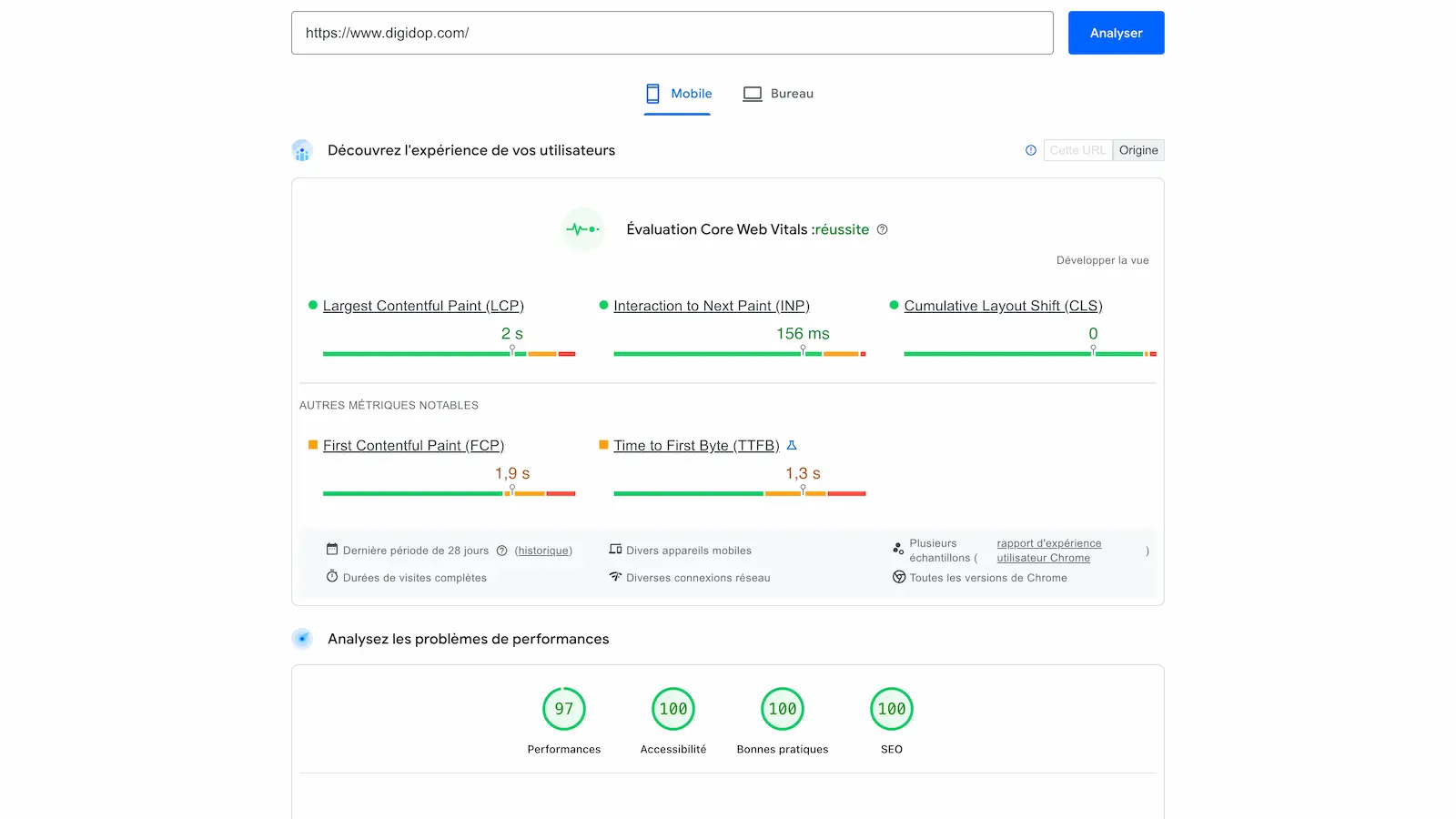
Core Web Vitals in Google Search Console provide essential metrics:
- LCP (Largest Contentful Paint): main content loading time (< 2.5 sec)
- INP (Interaction to Next Paint): interaction responsiveness (< 200 ms)
- CLS (Cumulative Layout Shift): visual stability (< 0.1)
These technical metrics support the SXO experience without being its primary objective.
Practical SXO Implementation
Current State Audit and Analysis
The first step involves auditing the current experience with a methodical approach:
- Quantitative analysis: use Google Analytics 4 to identify high bounce rate pages, abandonment paths, and best-performing traffic sources.
- Qualitative analysis: install Hotjar to observe real behaviors, identify friction zones, and understand user hesitations.
- User testing: have people from your network test the site while observing their actions without influencing them.
Step-by-Step Optimization
1. Action prioritization: start with pages generating the most traffic or most strategic for the business, then roll out optimizations across the entire site.
2. A/B testing: test important modifications (CTAs, forms, structure) before general deployment to measure real impact on conversions.
3. Continuous improvement: establish a monthly optimization cycle based on behavioral data and user feedback.
SXO FAQ
Does SXO replace traditional SEO?
SXO enriches and complements SEO without replacing it. The fundamentals remain essential: keyword research, technical optimization, quality content creation. The major difference lies in the user-centered approach that guides all optimization decisions.
What are the first indicators to monitor in SXO?
Focus on engagement rate (time spent + interactions), conversion rate by channel, average navigation depth, and satisfaction signals (reviews, shares). These metrics directly reflect the effectiveness of the proposed experience.
How to start with SXO on a limited budget?
Use free tools: Google Analytics 4 for behavioral analysis, Google Search Console for performance, Microsoft Clarity for heatmaps. Focus on mobile optimization, improving call-to-actions, and simplifying forms.
How long does it take to see SXO results?
Engagement improvements appear within the first weeks. Conversion impact can be measured in 4-6 weeks. SEO gains require 3-6 months to stabilize, but experience improvements generate immediate benefits.
Does SXO work for all industries?
SXO adapts to all domains with specific priorities: e-commerce sites optimize the purchase funnel, content sites prioritize engagement and reading, B2B services focus on qualified lead generation.
The Future of Digital Belongs to User Experience
SXO is not a passing trend but a permanent evolution of digital marketing. Google's artificial intelligence algorithms are becoming increasingly sophisticated in analyzing behavioral signals, rewarding sites that offer authentically satisfying experiences.
This holistic approach generates a virtuous cycle: better user experience → increased engagement → positive signals for Google → improved SEO → qualified traffic increase → higher conversions. Companies mastering this logic gain a sustainable competitive advantage.
SXO integration requires cross-functional collaboration between SEO, UX, development, and marketing teams. This synergy transforms visibility into real commercial performance, making SXO the most profitable strategic investment for the future of digital business.
Sources and Resources
- Google Developers - Page Experience - Official documentation on page experience in Google results
- SEOBoost - Search Experience Optimization Guide - Complete SXO implementation guide with practical examples
- Vision Ranking - SXO Future 2025 - Prospective analysis of SXO trends and business impact



.webp)