
New year, new resolution: no more manually updating the copyright date.
How many websites still show “Copyright 2018” when we're already in 2025? It might seem like a minor detail, but a footer with an outdated date gives an impression of neglect—or even abandonment—which harms the website’s credibility. The good news is, it only takes a simple JavaScript code to fix this problem once and for all.
In this article, we'll show you how to automate this update so you never have to think about it again.
Why automate the copyright date update?
At first, it might seem like updating the copyright date manually isn’t too hard—it’s just a task you need to think about once a year. True. But with the daily priorities or all your client projects (if you're a developer), it’s easy for such details to slip through the cracks. Here’s why automation is key.
Protect your professional image
A website that displays an outdated date (even by just a year or two) can give the impression that it’s abandoned, which may worry your visitors: “Is this site still active?” By keeping the footer date automatically updated, you show that your website is well-maintained and current.
Eliminate an unnecessary task
If you manage multiple websites, manually updating the footer date quickly becomes a tedious task. Automating this update is one less thing to add to your to-do list every new year.
Avoid forgetting
Nobody remembers to update these dates on January 1st, and sooner or later, a client or colleague will notice. Automation solves this problem once and for all.
Now, let’s get to the technical setup.
How to automate the footer date?
Here’s the technical setup. Simple, quick, and permanent.
Prepare your HTML
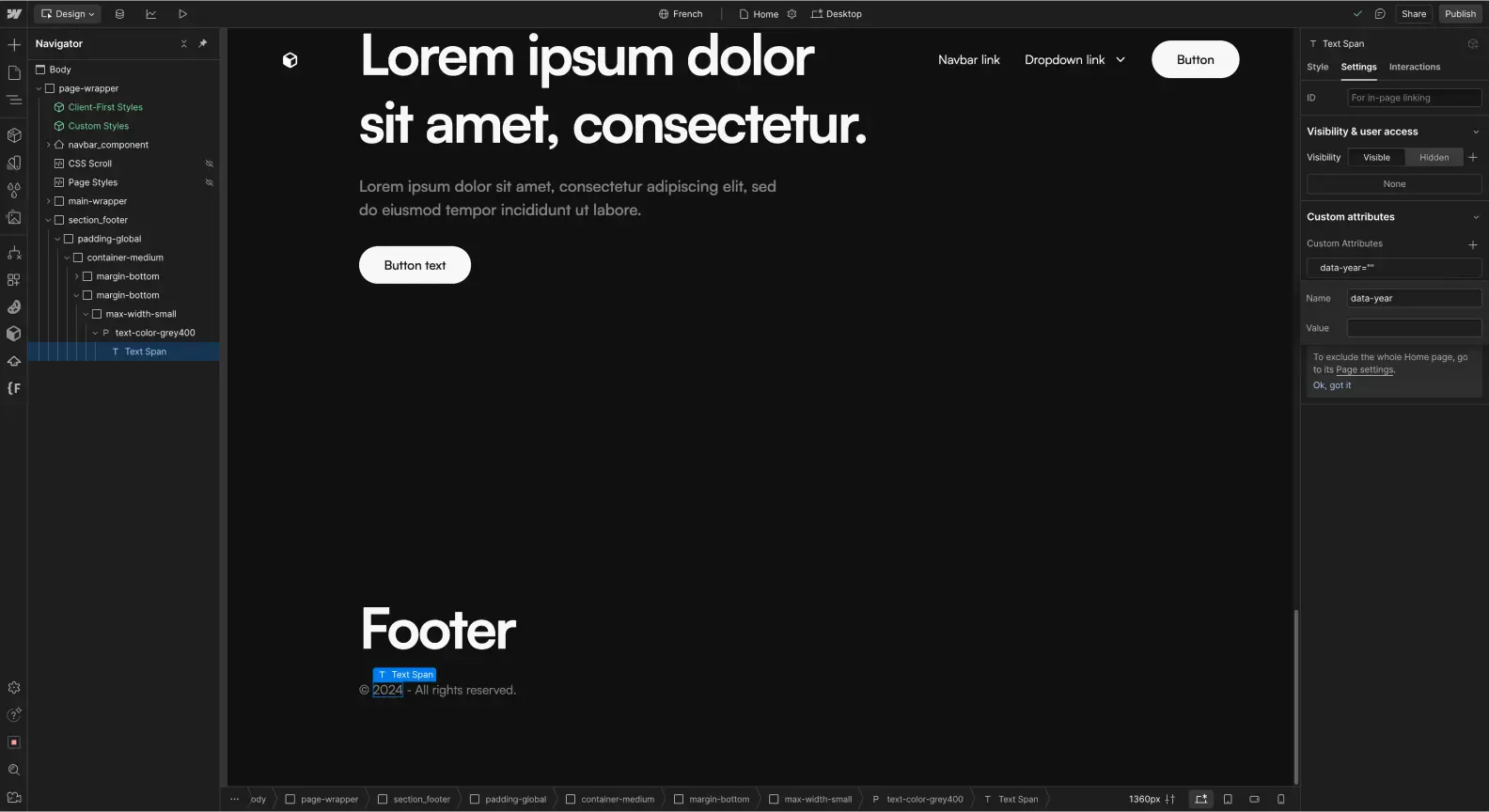
In Webflow’s Designer, create a span for the part of the text that corresponds to the year and add a custom HTML attribute data-year to it. This custom attribute will allow precise targeting.
Add the JavaScript code
Insert this script just before the closing body tag in your site’s custom code:
<script>
  document.addEventListener("DOMContentLoaded", () => {
    // get the current year
    const currentYear = new Date().getFullYear();
    // target elements with the "data-year" attribute
    const currentYearSpans = document.querySelectorAll('[data-year]');
    // update each element with the current year
    currentYearSpans.forEach(element => {
      element.textContent = currentYear;
    });
  });
</script>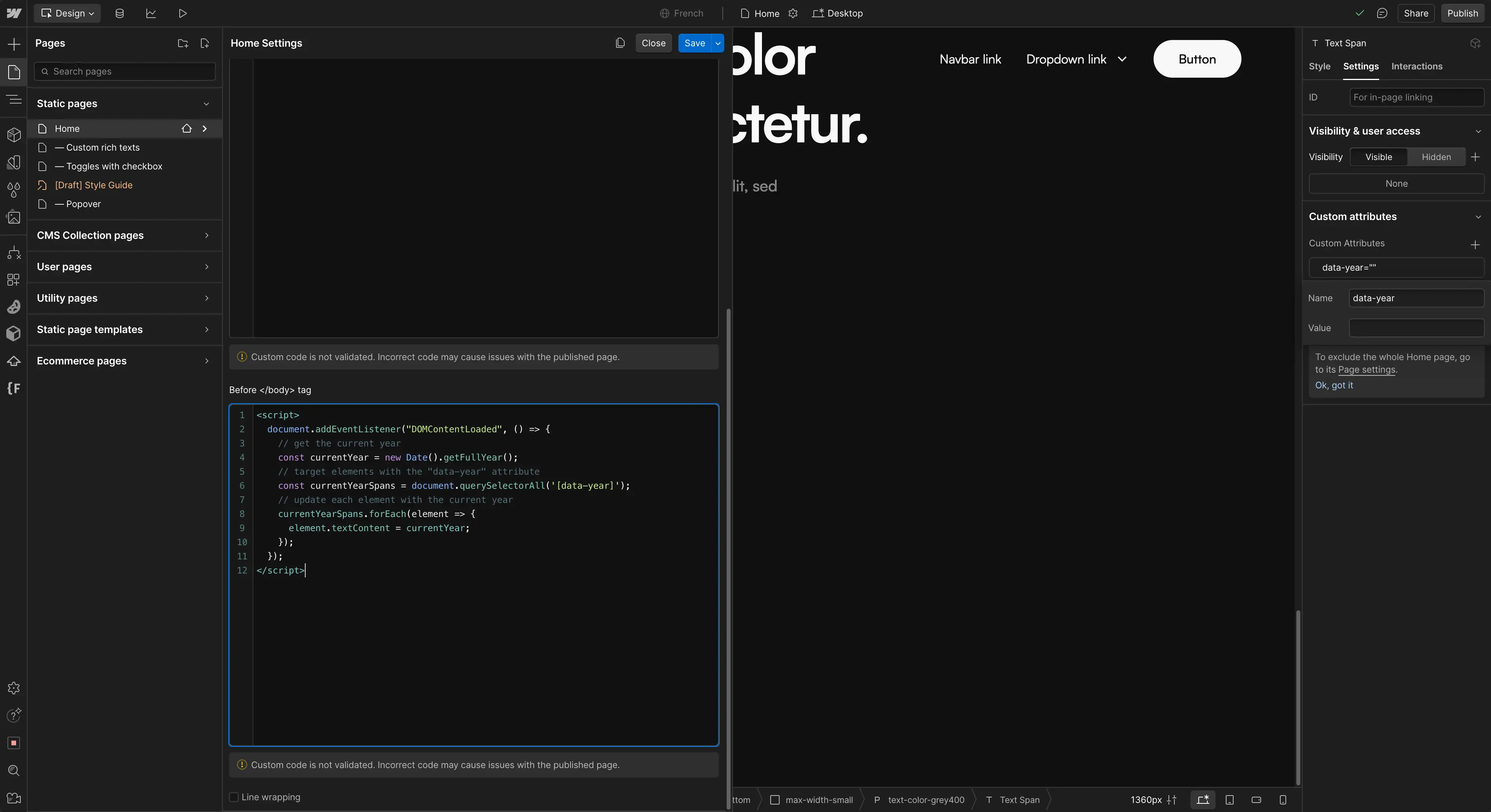
What this code does:
- It waits for the page to fully load using DomContentLoaded.
- It fetches the current year with new Date().getFullYear().
- It targets all elements with the data-year attribute.
- It dynamically updates each of these elements with the current year.
And there you go, your copyright date is now automated. Be sure to test your implementation to confirm that the year updates correctly in your footer.
Conclusion
Automating the copyright date update is a small detail that makes a difference. With just a few lines of code, you prevent recurring oversights, maintain your website's credibility, and save time. This script perfectly exemplifies a good principle: automate everything that can be automated. The more self-sufficient your website is, the fewer repetitive tasks you'll need to manage.
One last tip: if you work on multiple sites, consider integrating this script directly into your Webflow projects or Starter Project.

