.jpg)
Webflow continues to evolve its platform with the launch of Webflow AEO, a new Enterprise product designed to address the changing way people search online.
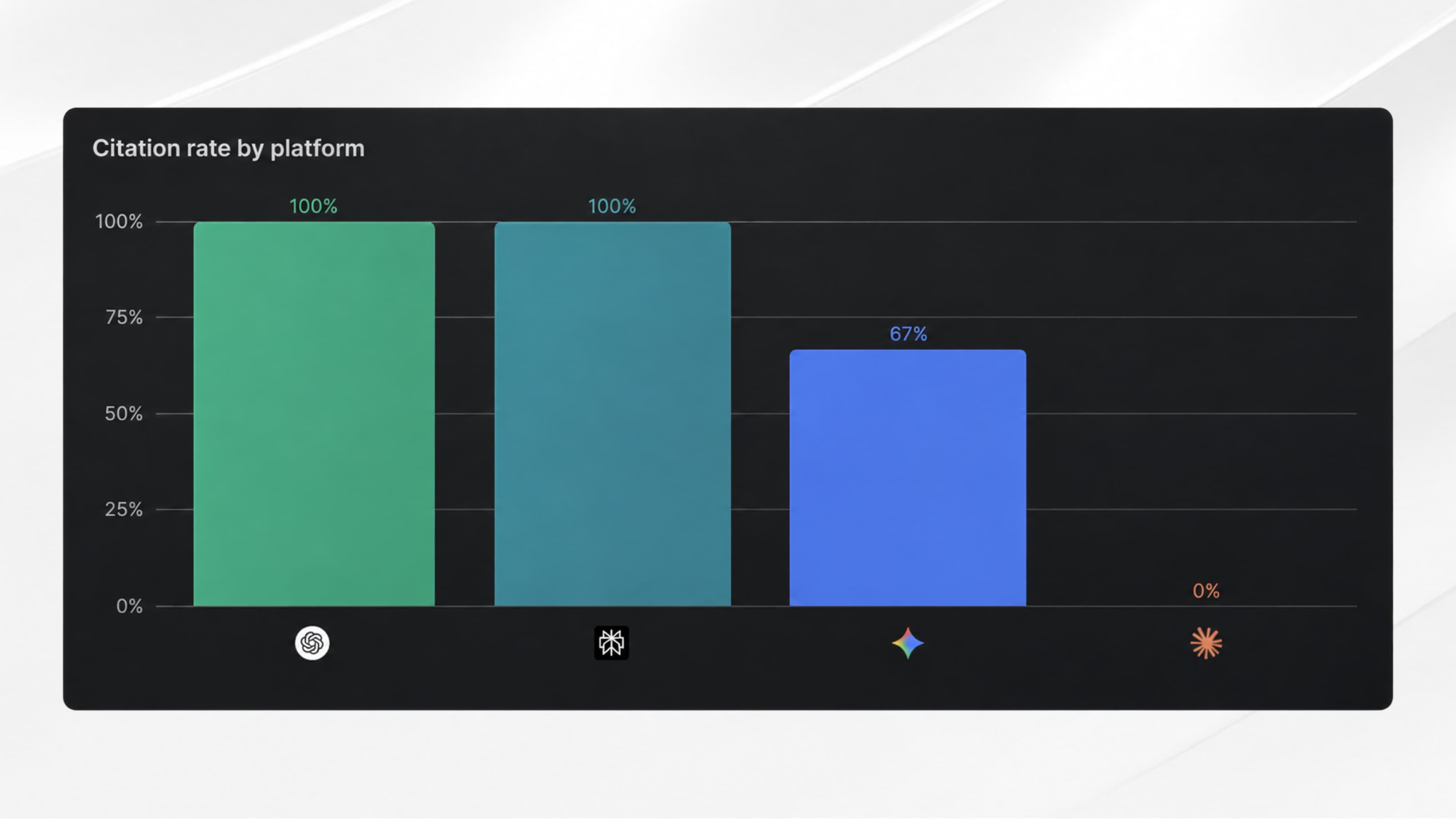
As users increasingly search not only through Google, but also through ChatGPT, Claude, Perplexity, and Gemini, Webflow now provides a native solution to measure, recommend, and improve your website’s visibility across AI-powered answer engines.
A natural evolution of the platform, which we’ll explore throughout this article.
An all-in-one platform built for the AI era
For several years, Webflow has been steadily building a platform designed to support the entire lifecycle of a website, where simply “building” is no longer the end goal.
Today, the journey looks like this: Build → Manage → Analyze → Optimize
So, after introducing performance measurement (Analyze) and conversion optimization (Optimize), Webflow now adds a new layer focused on visibility across AI-powered search engines: AEO (Answer Engine Optimization).
Want to learn more about AEO ? Download for free our AEO ebook 👇
Understanding the 3 Webflow AEO Levers
Available exclusively to Webflow Enterprise customers, AEO is integrated directly into the Webflow interface. Rather than introducing yet another SEO platform, its goal is to enable marketing teams to manage both SEO and AI visibility without multiplying the number of tools they rely on.
Today, the product is built around three main steps.
1. Measure
Webflow AEO allows you to track your brand’s visibility across AI answer engines with meaningful context.
Once you’ve completed your organization details:
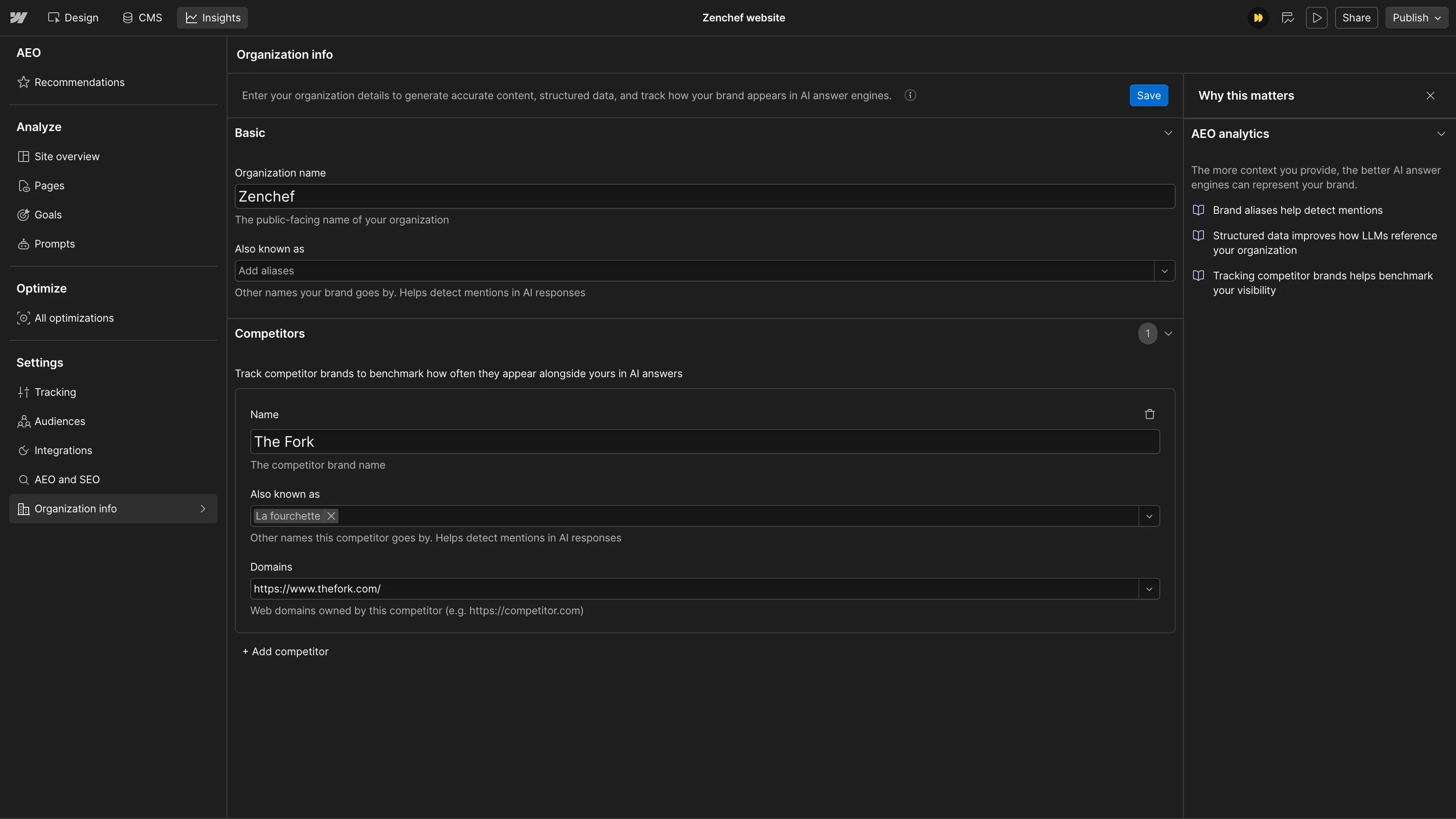
You can then:
- measure your visibility across the prompts that matter most to your business;
- track your citation rate;
- monitor trends over time;
- understand AI crawler behavior;
- connect this visibility to your website’s performance.
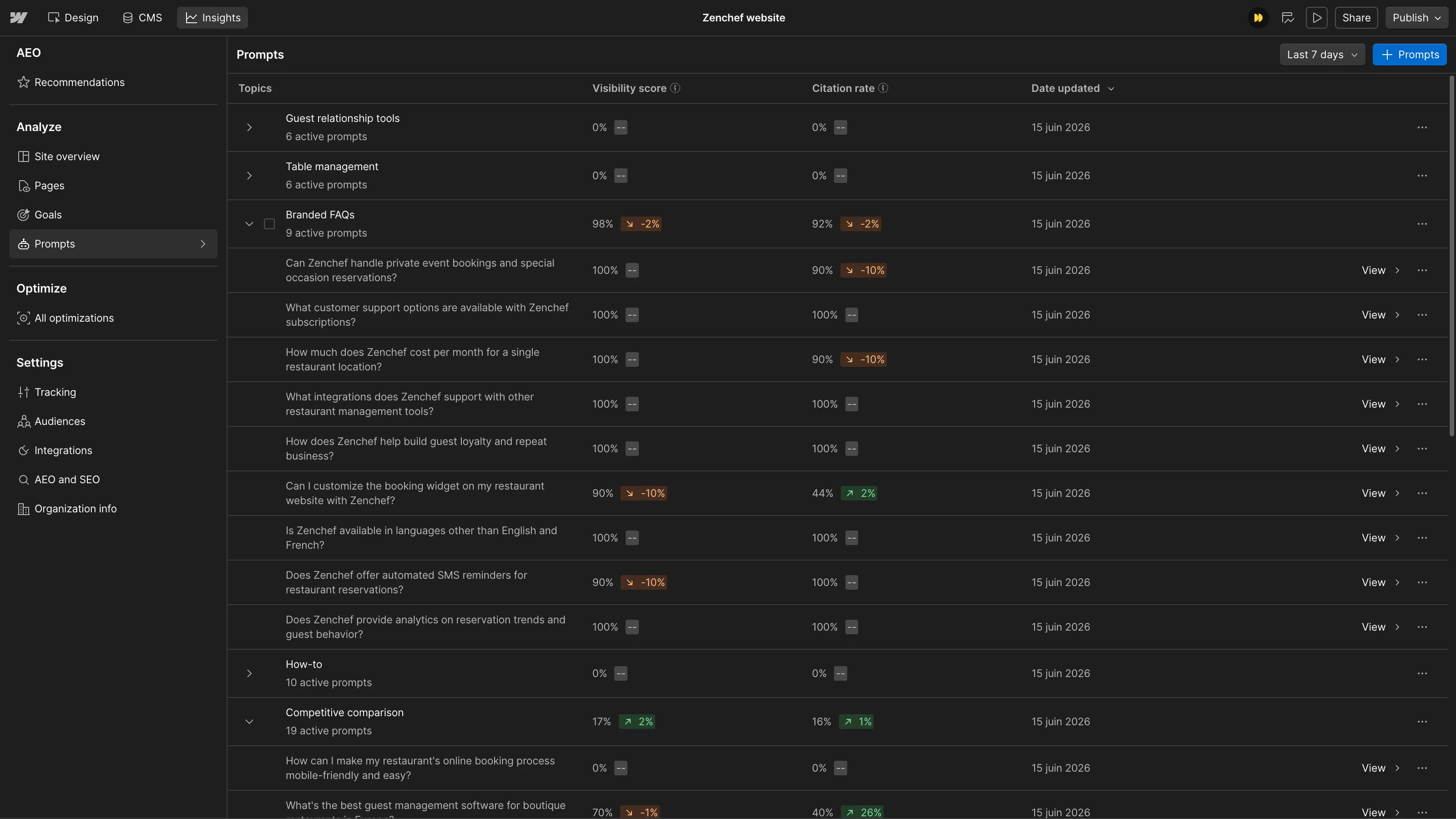
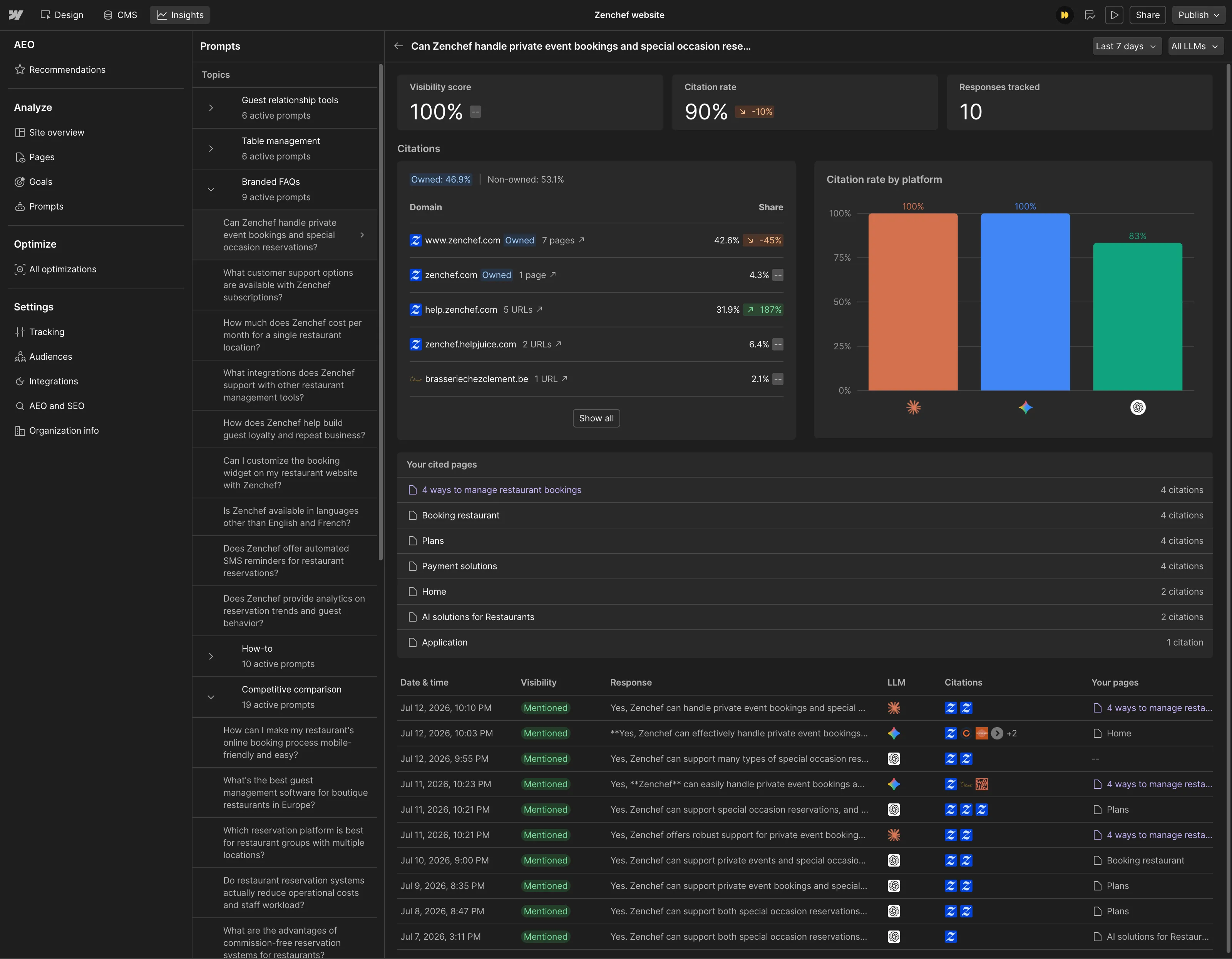
All of this comes with a high level of precision, along with built-in filters to help you qualify and analyze your data.
2. Recommend
Based on this data, Webflow’s AI agents automatically analyze your entire website and identify the actions that will have the greatest impact.

For example, they can recommend that you:
- improve your metadata;
- complete your Schema Markup;
- fix broken links;
- identify new content opportunities;
- recommend pages to enrich in order to increase citations across LLMs.
3. Act
Recommendations don’t just remain inside a dashboard. Webflow’s AI agents also prepare personalized changes that can be applied across your entire website in just a few clicks.
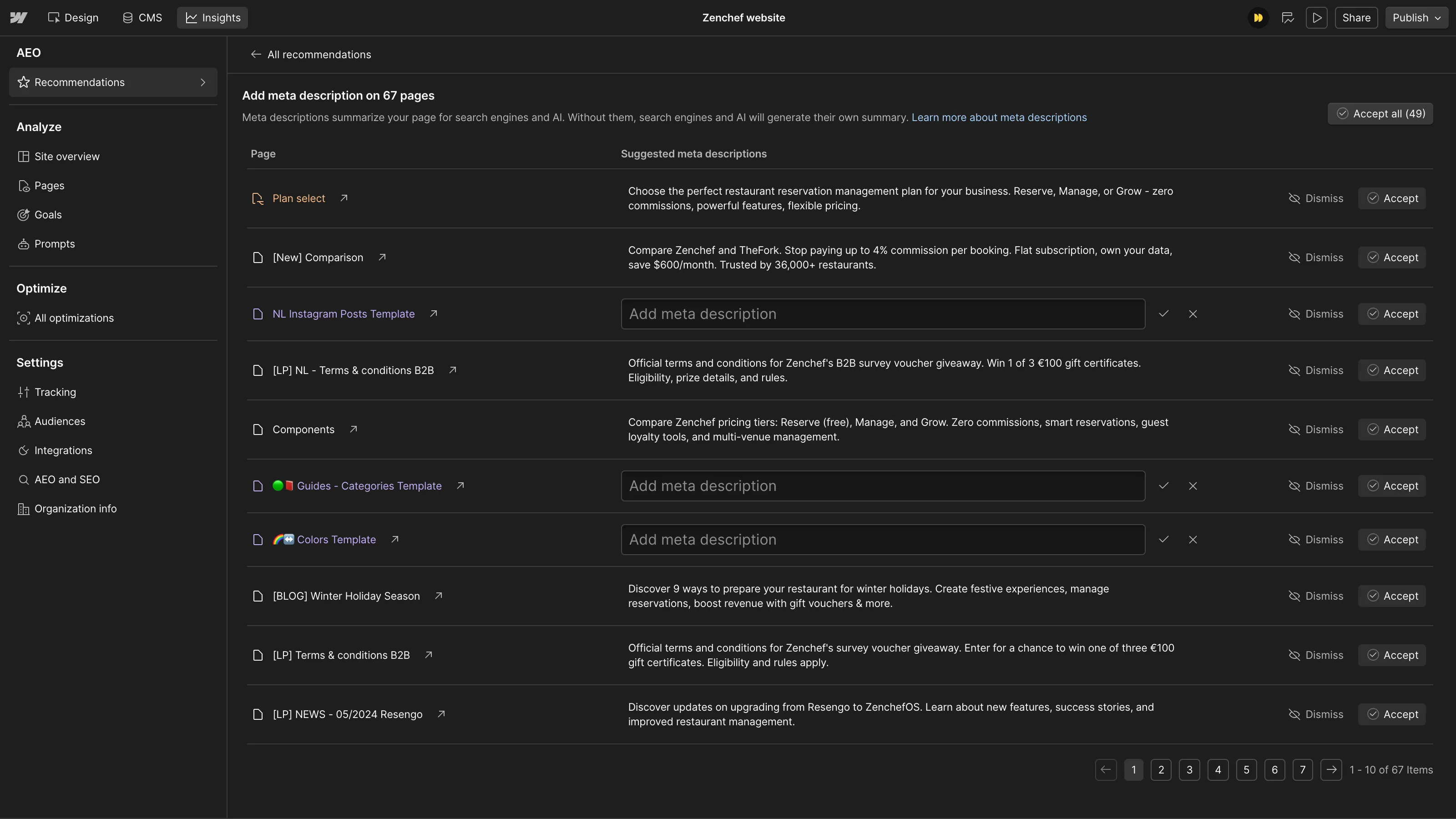
For example, you can:
- optimize metadata;
- update Schema Markup;
- generate content briefs (coming soon);
- create CMS drafts (coming soon).
(All proposed changes require approval before publication.)
Our opinion at Digidop
As an agency, we’re delighted to see Webflow continuing its vision of building a platform that supports every stage of website performance. It allows us to deliver even greater value while accelerating our post-launch support for clients.
Although this is still an initial release, Webflow AEO already helps identify numerous quick wins and effectively brings AI visibility optimization directly into a centralized platform.
It’s not yet comparable to the independent expertise of a specialist in the field, but it provides an excellent technical starting point for covering a large share of the initial optimization needs.
Want to learn more?
Interested in discovering Webflow AEO?
We can help you with:


.webp)