A marketing team that waits on a developer to change a landing page headline loses time on every campaign. That has been Webflow's promise from the start: hand the website to the people who run marketing, without letting them break the design.
In 2026, that promise looks different. The legacy Editor is gone, roles have been redefined, plans were overhauled in May, and some of the control features now sit in the Team and Enterprise plans. In this article, we cover what Webflow gives a marketing team today and what it costs. We also show how we set teams up for autonomy at Digidop, so it lasts beyond launch day.
Originally published in 2023, fully updated on October 6, 2026.
Does Webflow really reduce marketing's dependency on developers?
Yes, for a marketing team's day-to-day work: building a landing page, editing copy, publishing an article, adding a case study, launching a page variant. All of that happens in Webflow, no ticket needed.
The customer stories Webflow publishes point the same way. At Rakuten Super Logistics (now ShipNetwork), the marketing operations manager says her team makes changes in 20 minutes that would have taken an expensive programmer 4 to 5 hours on WordPress (Webflow customer story). At Getaround, the marketing and design team started with small landing pages, then moved all of its public pages: it now launches pages weekly, and Webflow reports an 80% increase in site sessions and a 55% increase in search sessions after the migration (Getaround case study). These are vendor-published figures from older migrations, so read them as orders of magnitude.
Developers are still useful for integrations (CRM, business tools), custom code and advanced components. The difference is that they no longer step in for every content change.
Who does what: Webflow roles in 2026
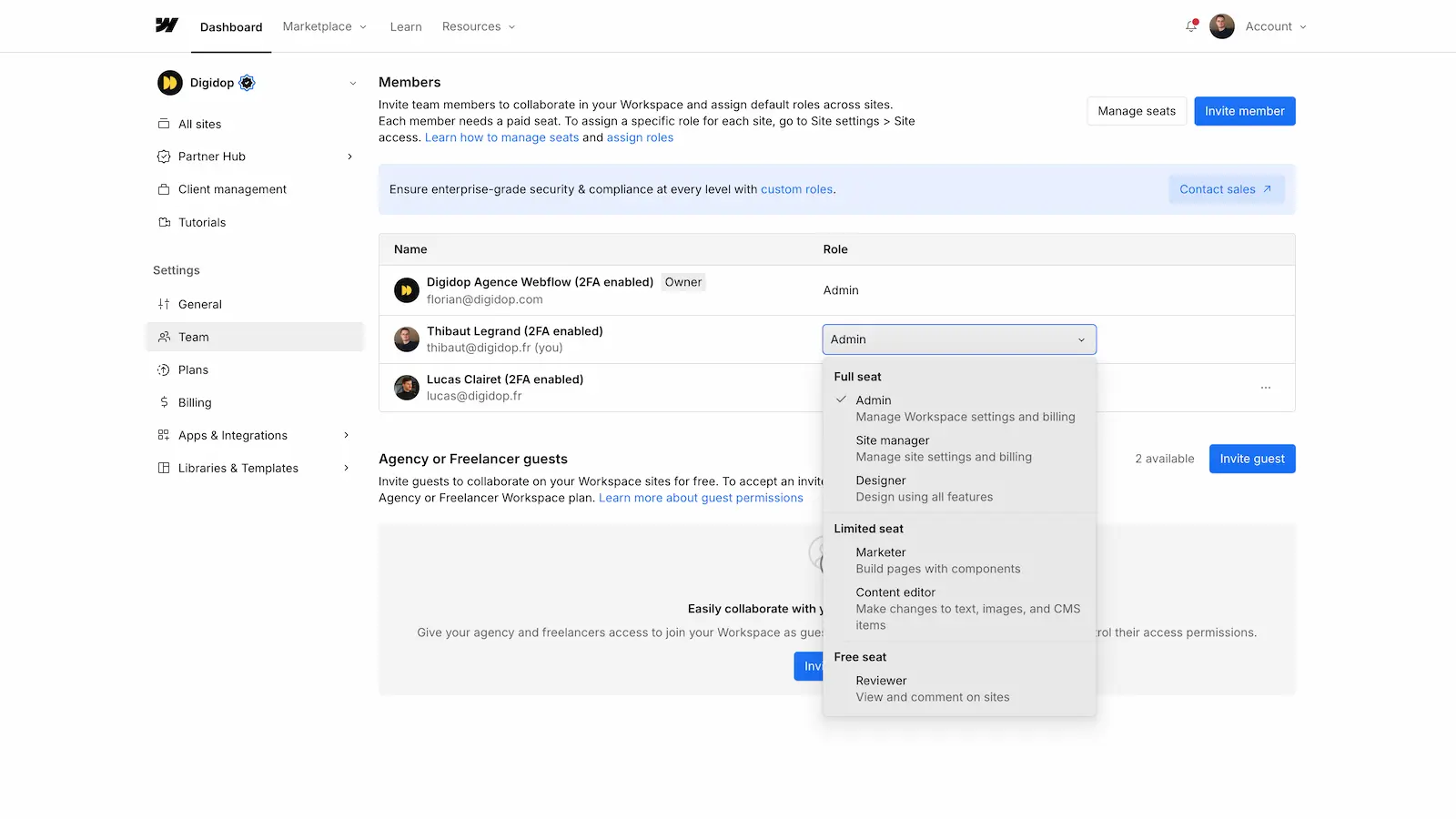
Webflow separates the seat (what you pay for) from the role (what someone can do on a site). Here are the site roles, based on Webflow's documentation and pricing page:
| Role | Seat | What they can do |
|---|---|---|
| Site manager | full | manage site settings and design with every Designer feature |
| Designer | full | every design feature: new classes, new components, publishing |
| Marketer | limited | create and edit pages from existing components and templates, manage CMS content, publish if Can publish is turned on |
| Content editor | limited | edit text, images and CMS content, plus component property values, publish if Can publish is turned on |
| Reviewer | free | view the site, comment and approve reviews, without editing anything |
For a marketing team, the two roles that matter are Marketer and Content editor. The first suits the person who launches landing pages and assembles sections. The second suits the person who writes and updates content without touching the layout. If you want to give someone CMS access without design access, Content editor is the role.
The end of the Editor
If your team used Webflow's legacy Editor, it has been unavailable since August 4, 2026. Starting May 4, 2026, its users were given a free limited seat or client seat, with the Content editor role by default (Webflow announcement). The Marketer role is what Webflow used to call Build mode, and Content editor was Edit mode.
What we'd check now: that everyone has the right role (many marketers migrated as Content editors actually need the Marketer role), and who is allowed to publish.
Agencies and reviewers
Reviewers (leadership, legal, product) use a free seat: they comment but can't edit. Agencies and freelancers can join with a guest role, without becoming members of your Workspace.
Governance: who can publish what, and on which plan
This is where things changed the most. Control features are split between the Workspace plan, the Team plan and Webflow Enterprise. According to Webflow's pricing page, checked on October 6, 2026:
| Need | Available from |
|---|---|
| Content editor role, page building with components, real-time collaboration | every Workspace plan |
| Choose who can access which site, assign a role per site, control who can publish | Growth Workspace ($49/month billed yearly) |
| Publish a single page without republishing the whole site | Team plan |
| Publishing workflows: an isolated staging site, a summary of changes before publishing | Team plan |
| Page branching: work on a page separately and test it before merging | Team plan |
| Site activity log | Team plan |
| Access limited to specific pages or CMS Collections | Enterprise |
| Custom roles, design approvals by designated reviewers, SSO | Enterprise |
A concrete example: letting HR manage job listings without touching the blog requires access by CMS Collection. That feature is limited to specific Enterprise plans (Webflow Help Center, read through search excerpts).

For most marketing teams at SMBs and scale-ups, a Growth Workspace is enough: everyone has a role, and only designated people publish. The Team plan becomes useful when several people work on the site in parallel and changes need a review before going live.
A design system is what makes autonomy possible
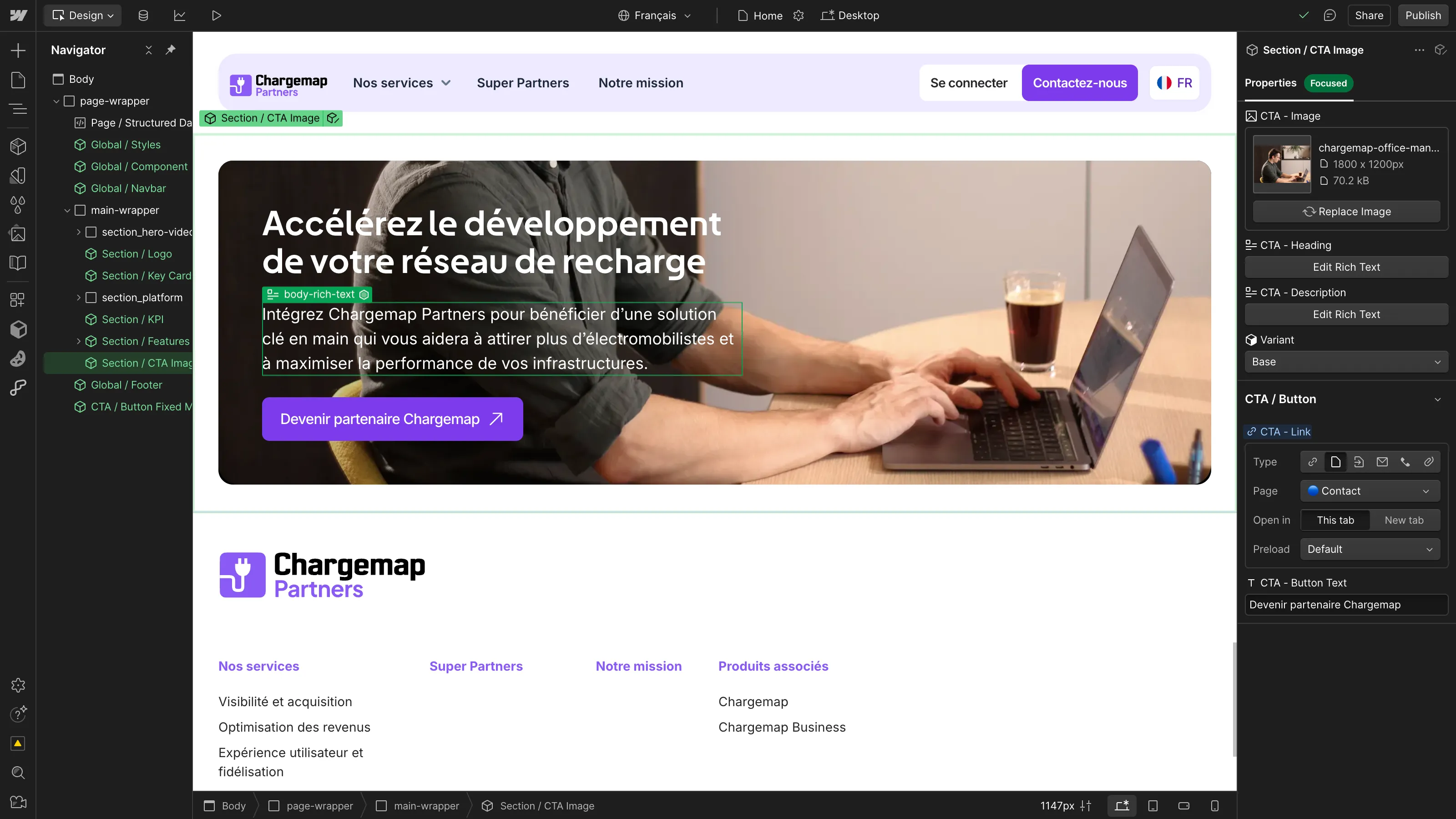
A Marketer role is useless if the site has no components to assemble. A site built page by page, with no reusable components, is a site nobody dares to touch.
So autonomy is prepared when the site is built:
- variables for colors, typography and spacing, so changing the primary color updates the whole site;
- components with properties (text, image, variant) that marketers fill in without touching styles;
- page templates and ready-made sections for landing pages;
- Shared Libraries if you run several sites (from the Core Workspace up).
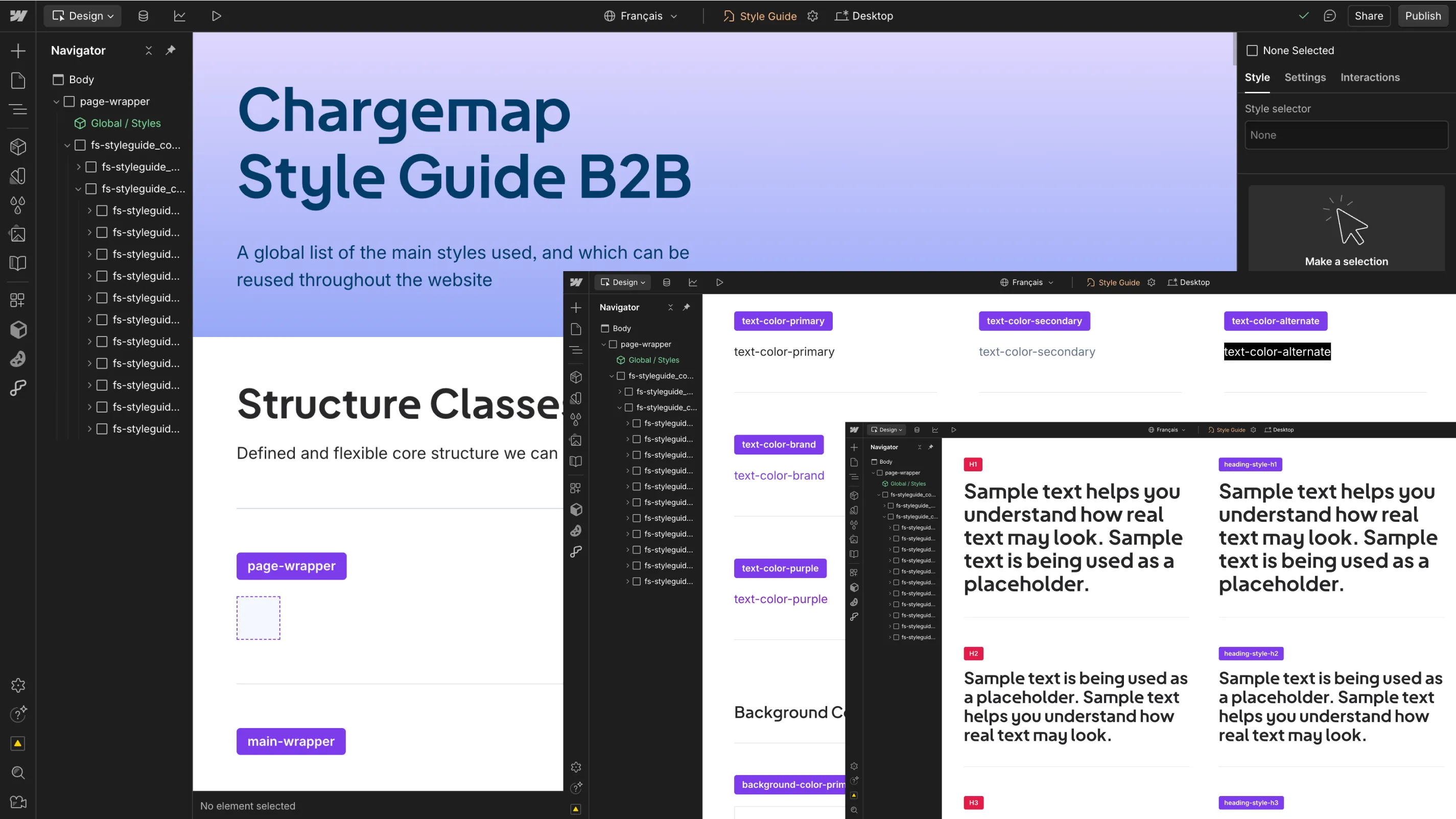
We explain how they work in our guide to Webflow components.
The CMS: structured content for marketing
Articles, case studies, testimonials, job listings, pages by city or industry: anything that repeats becomes a CMS Collection with a page template. The team fills in the fields and the page is generated with the right design.
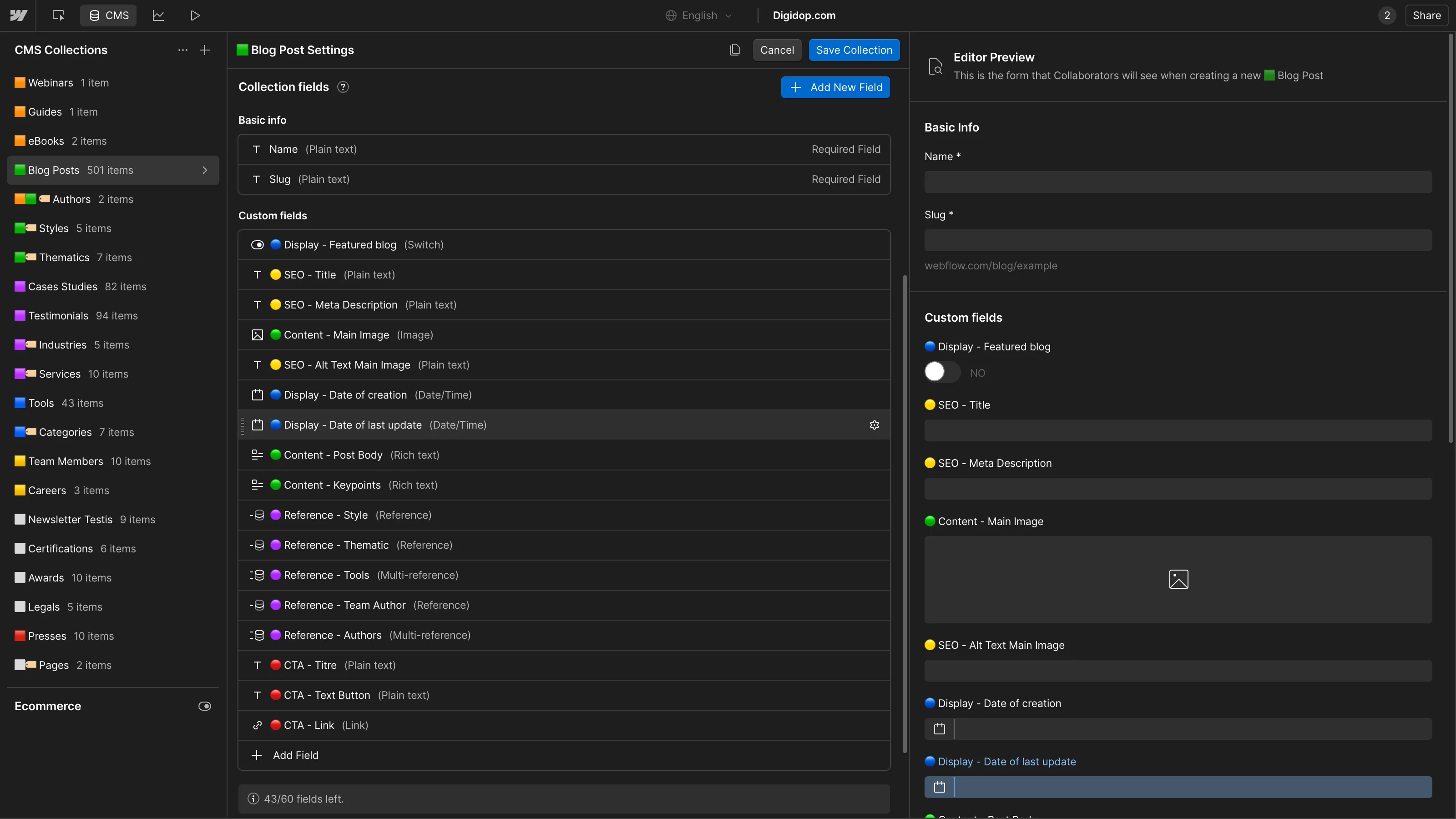
On the Premium plan, Webflow includes 20,000 CMS items and 40 Collections, per-item publishing and scheduled publishing (Webflow pricing). The Team plan goes up to 100 Collections.

Analyze, Optimize, Localize and Webflow AI: the tools around the site
Webflow also sells measurement, testing and translation tools as add-ons. Starting prices from the pricing page, checked on October 6, 2026:
| Tool | What it does | Price |
|---|---|---|
| Analyze | traffic, page engagement, clicks, and AEO insights (LLM visibility, AI agent traffic); integrates with consent management tools | from $9/month, based on sessions |
| Optimize | A/B testing, audience personalization (device, behavior, UTM, geolocation), AI Optimize; up to 5 concurrent optimizations | from $299/month, based on page views |
| Localize | AI translation, localization of the CMS, static pages and SEO | Essential from $9/month, Advanced from $29/month, based on locales; 2 locales included in the Team plan |
| Webflow AI | draft copy, generate sections from your design system, create CMS items, audit SEO and AEO | AI credits included in every Workspace since May 13, 2026 |
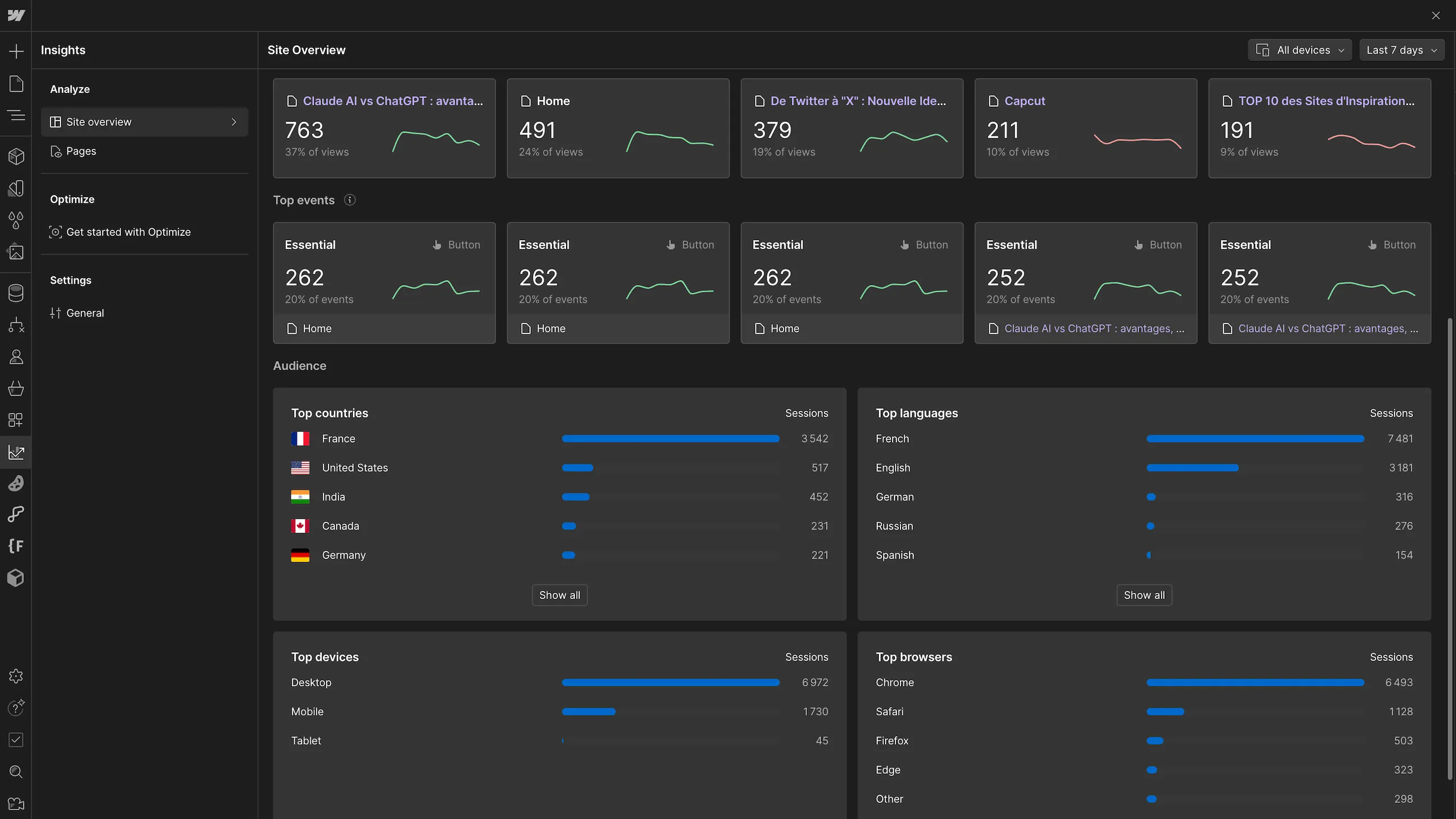
For a team doing CRO, Optimize saves you from plugging in an external testing tool. We cover it in detail in our article on Optimize by Webflow.
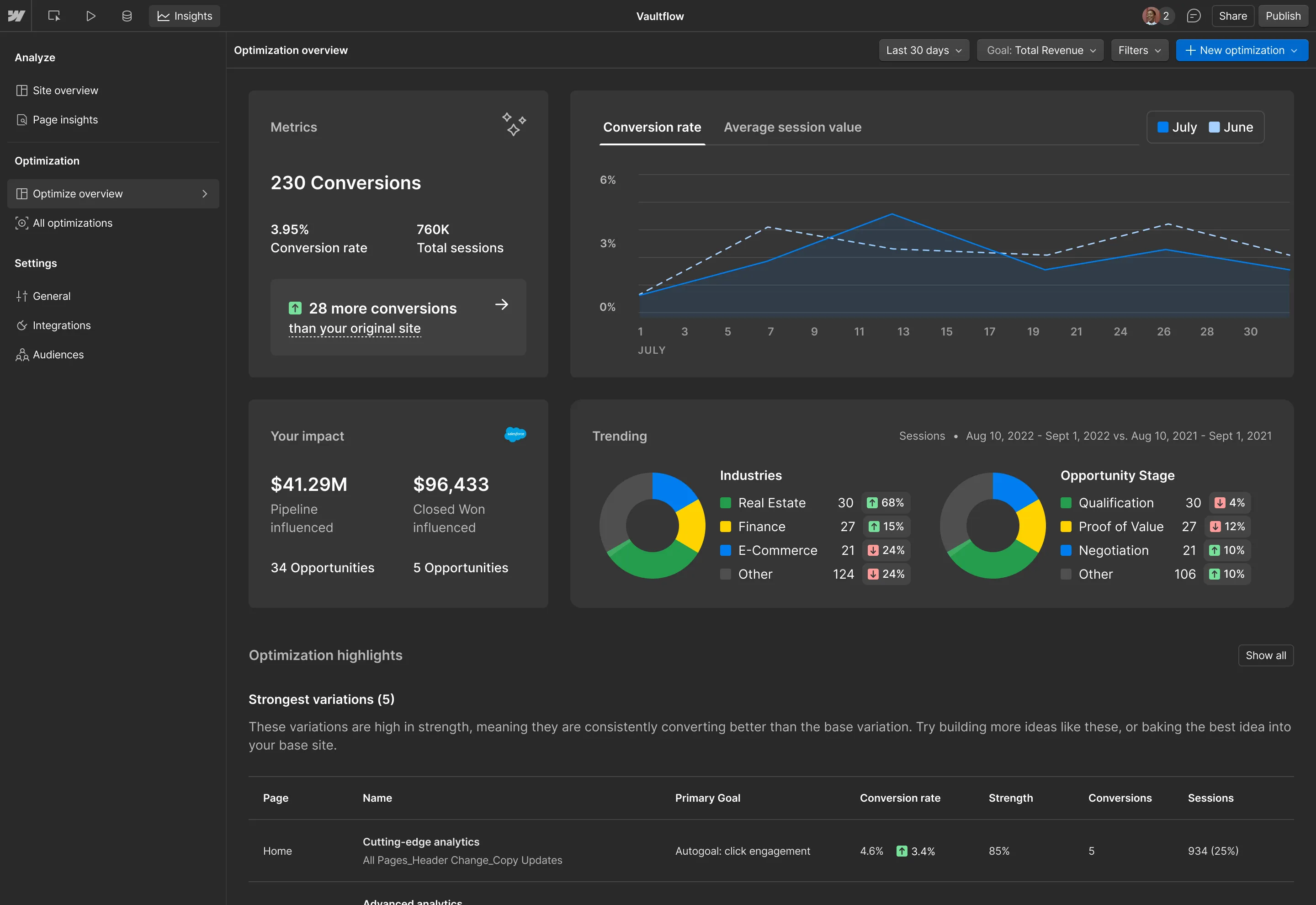
For an international site, Localize lets each local team manage its own language from the same site.
.webp)
{{custom-blog-cta}}
How much does Webflow cost for a marketing team in 2026?
The $23/month CMS plan you'll still see quoted no longer exists. On May 13, 2026, Webflow merged the CMS and Business plans into a single Premium plan and launched the Team plan (Webflow announcement). For existing sites, the change applies at renewal on or after June 29, 2026, or November 16, 2026 for sites in a Freelancer or Agency Workspace.
A marketing team's budget has three parts:
| Part | Price in October 2026 (billed yearly) |
|---|---|
| Premium Site plan (with CMS) | $25/month, or $39/month billed monthly |
| Workspace plan | Core $19/month, Growth $49/month; one full seat included |
| Extra seats and add-ons | additional full or limited seats; Analyze, Optimize, Localize as needed |
A team that wants per-site roles and publishing permissions therefore starts with Premium plus a Growth Workspace: $74/month before seats and add-ons. The Team plan, at $2,500/month on an annual contract, bundles a site, 10 seats (5 full, 5 limited), Localize, publishing workflows and page branching. Beyond that, Webflow Enterprise is quote-based.
The plan-by-plan breakdown is in our article on Webflow pricing in 2026.
Getting a marketing team to autonomy: how we approach it
At Digidop, we build marketing websites on Webflow for B2B marketing teams. Here's how we approach autonomy:
- Start from how the team works. Every project starts with workshops with your team. We look at what gets published (landing pages, articles, case studies, job listings) and who publishes it: that drives the components, the CMS Collections and the roles.
- Start with the critical pages. In a migration, we begin with the pages that matter most (landing pages, product pages) before extending to the rest of the site.
- Train on your own content. Onboarding happens on your site, not on a demo, with documentation delivered with the project.
- Assign roles at launch. Our advice: decide who is a Marketer, who is a Content editor and who publishes before you go live. That avoids handing out Designer seats "by default" and accidental style changes.
That is the core of our marketing website offer: a site delivered with a CMS, components and templates your team can run on its own after launch.
Our take
Webflow is still, in our view, one of the best tools for a marketing team to run its own website. The Marketer and Content editor roles are clearer than the old Editor, and single-page publishing, pre-publish review and page branching answer requests we've been hearing for a long time.
The flip side is that these control features have moved up the price ladder. Between a $49 Growth Workspace and the $2,500/month Team plan, the gap is wide, and page-level or Collection-level access remains Enterprise-only. For a team of three to five marketers, Team is rarely justified on day one, in our opinion: a solid design system and well-assigned roles cover most needs.
In the end, the plan you pick matters less than how the site is built. Components, templates and the CMS decide what your team will be able to do on its own.
FAQ
How does Webflow help marketing teams reduce their dependency on developers?
Marketers build pages from components prepared by designers, publish CMS content and run tests without opening a ticket. Developers keep integrations and custom code.
What role should a marketer have in Webflow?
The Marketer role if they build landing pages from existing components. The Content editor role if they only edit text, images and CMS content. Both use a limited seat. The Can publish setting decides whether they can push changes live.
Can you give marketers CMS access without design access?
Yes, with the Content editor role: they edit content and CMS items but can't change styles or page structure. Restricting someone to specific Collections requires Webflow Enterprise.
Does the Webflow Editor still exist?
No. It has been unavailable since August 4, 2026. Its users were moved to a limited seat or a client seat, with the Content editor role by default.
Can Webflow handle structured content for marketing teams?
Yes, with CMS Collections: each content type (article, case study, job listing) has its own fields and template. The Premium plan includes 20,000 items and 40 Collections.
What optimization tools does Webflow offer marketing teams?
Analyze for measurement (including traffic from AI), Optimize for A/B testing and personalization, Localize for multilingual sites, and Webflow AI for drafting, generating sections and auditing SEO/AEO.
How much does Webflow cost for a marketing team?
From $74/month billed yearly for a Premium site and a Growth Workspace, before extra seats and add-ons. The Team plan, built for growing teams, costs $2,500/month on an annual contract.
.webp)


.webp)