With AI, custom development is making a strong comeback. At Digidop, we’re seeing it in the requests we receive: more and more companies are exploring headless CMS platforms like Prismic or Sanity, paired with frameworks like Next.js or Astro.
And one question keeps coming up: why pay for a Webflow subscription when you can have a website built specifically for your needs?
On paper, the idea is appealing. But building a website, even with AI assistance, is only part of the work. You still need to maintain it, improve it over time, and make sure your teams can use it every day.
So, Webflow or custom development?
We work with both approaches, and neither is inherently better than the other. Here are the six questions we recommend asking before making your choice.
Before We Start: Integrated CMS or Headless CMS?
The two approaches handle content differently, and many of their differences stem from that.
→ With Webflow, everything is brought together in one tool. Design, content, hosting, and publishing all live in the same place. The CMS is built into the platform: a collection of articles is directly connected to the pages that display them.
→ With a headless CMS, the content and the website are separate. The CMS (Prismic, Sanity, etc.) stores and organizes content in an interface designed for marketing teams. The website itself is built with a framework like Next.js or Astro, which retrieves and displays that content.
Throughout this article, we’ll use custom development to refer to this second approach: a headless CMS and a website built around it.
1. How Will Your Teams Update the Website?
Editing text, creating a landing page, or developing a new section don’t require the same skills. And depending on the architecture you choose, your teams won’t work in the same way.
With Webflow, changes are made directly through a visual interface. Teams can update content, create pages using reusable components, and, depending on their permissions, modify layouts.
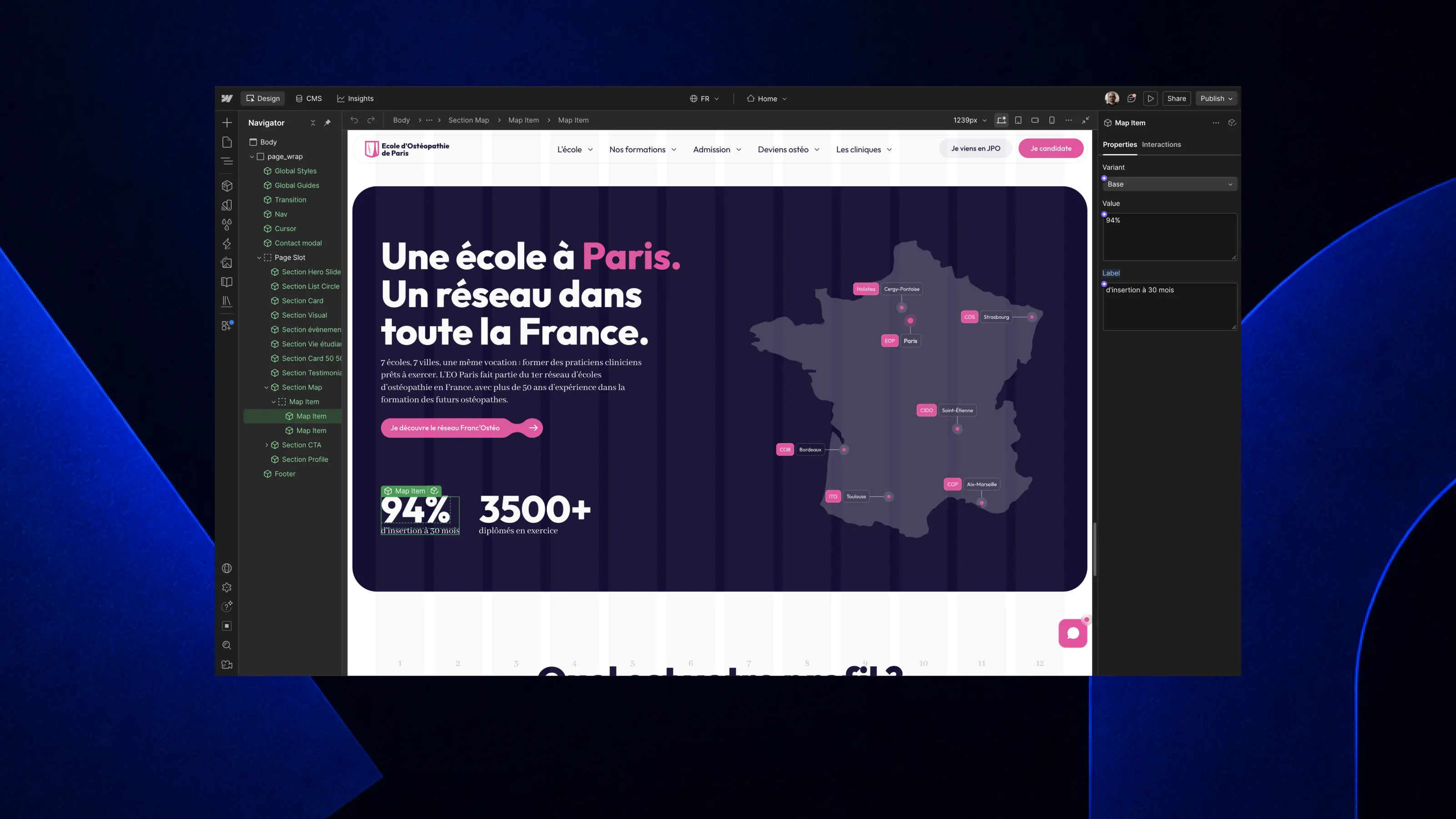
Slots, for example, allow users to insert different elements into a component without breaking its structure. A team that’s comfortable with the Designer can also create a new section directly in Webflow, without writing code.
With custom development and a headless CMS, there are two ways to evolve the website.
The first is to use prebuilt sections. In Prismic, for example, these blocks are called Slices. Developers create them once, and marketing teams can then add, populate, and rearrange them through a visual editor.
It’s simple to use on a daily basis: as long as the existing sections meet their needs, teams can publish without technical assistance.
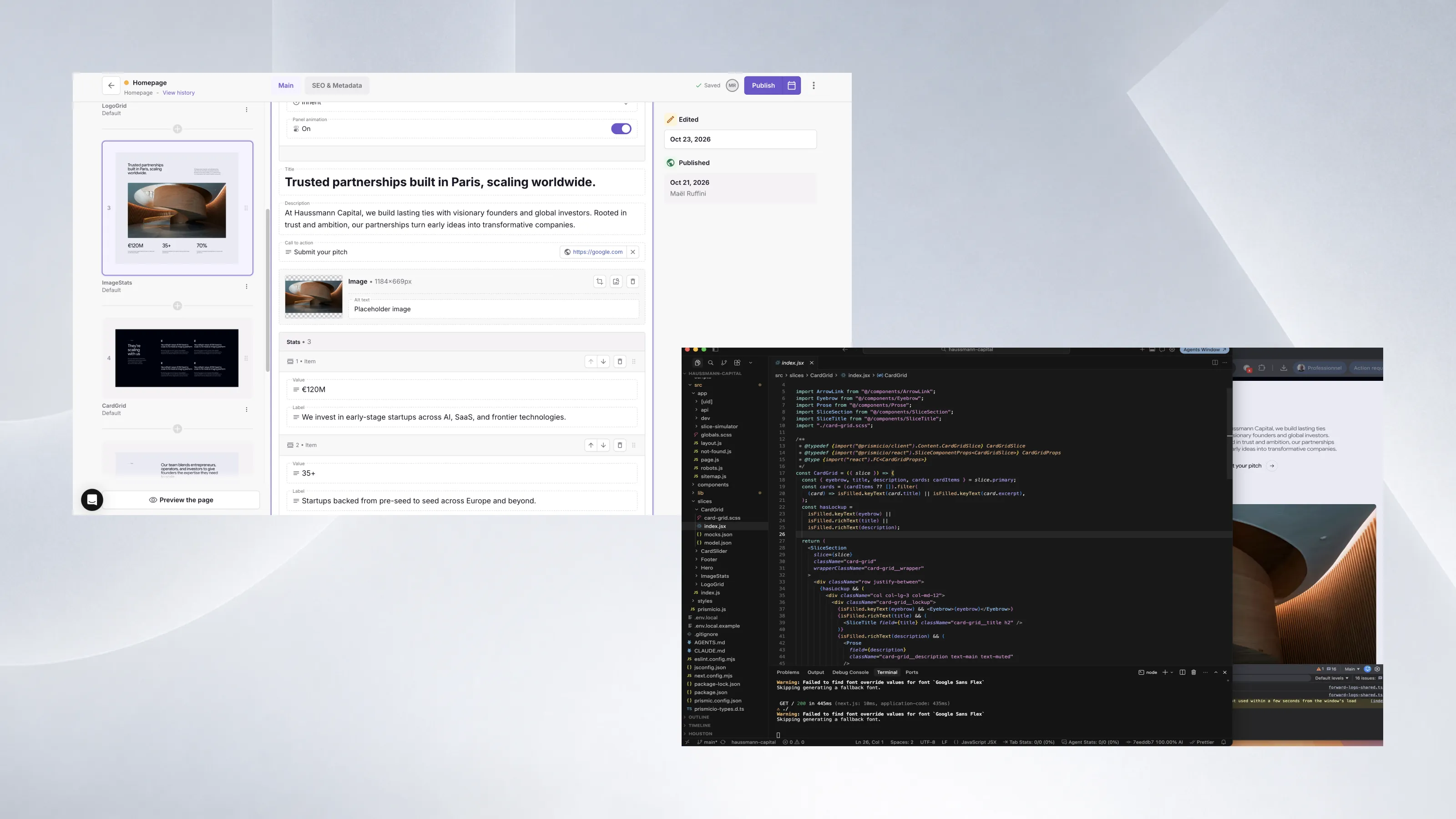
The second option goes further. With a tool like Claude Code connected to the project’s source code, it becomes possible to develop new sections or modify existing components with AI assistance.
You’re no longer limited to the blocks defined at the beginning. But this freedom requires more technical skills: the generated code needs to be reviewed, tested, and properly deployed, ideally by someone comfortable with development.
In summary: Webflow allows teams to visually edit the website, including its layout. Headless CMS platforms offer simple editing through prebuilt sections, while leaving the door open to going further with tools like Claude Code to develop new sections.
2. Does the Website Need to Connect to Other Tools?
CRM, product catalog, booking system, business data: today, both approaches allow you to connect a website to external services. The main difference lies in how those connections are built and maintained.
With Webflow, common needs are often handled through native integrations or third-party tools like Zapier or Make. For example, sending form data to a CRM.
For more complex connections, Webflow also provides APIs that allow developers to synchronize content or automate certain operations. These integrations sometimes require an intermediary service to connect with external tools.
This approach works, but it can add another tool or service to maintain. Each intermediary can also introduce additional costs and a potential point of failure, particularly when APIs change.
With custom development, developers can integrate these exchanges directly into the website’s code, particularly on the server side. They decide how to retrieve data, transform it, cache it, and handle errors.
Take a product catalog whose prices and availability are synchronized with an ERP system. Both approaches can meet the need. But as business rules become more complex, a custom architecture generally provides greater flexibility in managing them.
However, that flexibility comes with a trade-off: these connections must be developed, tested, and maintained by a technical team.
In summary: Both solutions can connect to your tools. Webflow often relies on integrations or an intermediary layer, which is quick to implement but adds dependencies. Custom development requires more development work but offers greater control over how data exchanges operate.
3. How Should You Organize Your Content, Languages, and Teams?
Content volume isn’t necessarily the best criterion for choosing a CMS.
Webflow, Prismic, and Sanity can all manage content-rich websites. Each has its own limits, but none of these approaches is inherently reserved for small or large websites.
The differences become more apparent in content granularity, localization, and governance.
↪ Content Granularity
Granularity refers to the level of detail at which you can structure, customize, and reuse your content. And the difference isn’t just about how pages are built. It also concerns the CMS elements themselves: available fields, their relationships, validation rules, and how data is organized.
With Webflow, the CMS works with collections, fields, and references between content items. It’s very practical for managing articles, case studies, or product pages. However, the structure remains defined by the platform’s field types and capabilities.
With Prismic, you can customize document types and their fields, but also create Slices with their own content elements. Each section can therefore offer tailored fields: text, images, links, repeatable elements, references to other documents, and more.
With Sanity, content modeling can go even further. Developers define content schemas directly: field types, nested objects, relationships, validations, or conditional structures. The editing interface itself can also be adapted to the teams’ needs.
Take a product catalog. Beyond the name, price, and description, each product may include technical specifications, variants, certifications, and relationships with other products.
With a headless CMS, these elements can be modeled precisely, rather than adapting their structure to the constraints of an integrated CMS.
↪ Localization and Governance
Another important question: who can edit what, and in which language?
Webflow offers localization and permission management features, particularly on its advanced plans.
Prismic allows teams to manage localized content, with collaboration, preview, and publishing features that vary depending on the subscription.
Sanity offers customizable multilingual content and permission management, particularly well suited to situations where multiple teams or markets need to share the same content base.
The choice therefore also depends on your organization: how many countries? How many contributors? Are approvals required before publishing? Can each local team adapt its content?
Finally, you need to consider the pricing model. Some CMS platforms impose limits on content items, users, languages, or API usage. A more flexible tool isn’t necessarily cheaper to operate.
In summary: It’s not just the amount of content that matters, but how it needs to be structured, reused, translated, and managed. Headless CMS platforms offer more content modeling capabilities, with technical configuration to plan for.
4. Who Handles Security and Maintenance?
This is often the question people forget when making their choice. And the one that can have the greatest impact over time.
With Webflow, the platform handles hosting, SSL certificates, infrastructure maintenance, and security updates. There’s no server to monitor or framework to update yourself.
External integrations and custom scripts still require some attention, but the technical workload remains limited. This is one of the tool’s biggest advantages, particularly for teams without in-house developers.
With custom development, the website relies on a framework and libraries that regularly release updates, sometimes to fix critical vulnerabilities. These updates need to be applied, tested to make sure nothing breaks, and monitored over time.
And this is something AI doesn’t fundamentally change. It can help developers build faster, but the resulting code still needs to be tested, secured, and maintained.
This isn’t a reason to avoid custom development. It’s simply an expense to plan for, usually covered by a maintenance agreement or handled by an internal technical team.
In summary: Webflow is largely turnkey on the technical side. Custom development requires ongoing maintenance, which should be included in the budget from the start.
5. What About Timeline, Hosting, and Long-Term Budget?
We often compare upfront costs. What really matters is how the budget is distributed over several years.
With Webflow, websites generally launch faster: there’s no infrastructure to configure from scratch, the CMS is integrated, and visual tools are available to build pages.
But a large portion of the cost is recurring: subscriptions, user seats, and add-ons like localization. On Enterprise plans, this can represent a significant annual investment.
With custom development, the investment is more concentrated on the initial development. After that, the budget covers the headless CMS, hosting, maintenance, and website improvements.
AI can reduce the time spent on certain development tasks, without eliminating the work involved in design, integration, and validation.
Hosting: Another Important Difference
With Webflow, hosting is built directly into the platform. You don’t need to choose a server or configure infrastructure.
With custom development, you’re free to choose where to deploy your website. Cloudflare, Vercel, and Hostinger offer different approaches, with pricing that can be very affordable for a marketing website.
Here are some starting prices to compare the solutions. Costs then vary depending on the resources used, traffic, features, and project requirements.
Take a marketing website built with Astro, where pages are generated ahead of time. It can be hosted on Cloudflare at a very low cost, or even with no hosting fees within the limits of the free plan.
A Next.js project with dynamic features may benefit more from Vercel, whose infrastructure is designed for this framework.
Hostinger can also be a good fit, particularly for static websites or applications whose requirements match the available plans.
But keep in mind: inexpensive hosting doesn’t mean the website itself is inexpensive. You also need to account for the headless CMS, any external services, and technical maintenance.
Comparing Costs Over Three to Five Years
To properly compare Webflow and custom development, you need to look at all costs: development, subscriptions, hosting, licenses, maintenance, and improvements.
A Webflow website with many contributors and multiple languages can represent a significant licensing budget.
Conversely, a custom website hosted for just a few dollars per month may require several days of development and maintenance every year.
In summary: Webflow generally allows you to launch faster, with hosting already included. Custom development gives you more flexibility over infrastructure and recurring expenses, but requires planning for technical operations. The right calculation is a long-term one.
6. How Easy Is It to Switch Tools?
A website lives for several years. It’s better to know from the start what it would take to move away from your chosen platform.
With Webflow, CMS content can be exported, along with the website’s HTML, CSS, and JavaScript, with an appropriate Workspace plan.
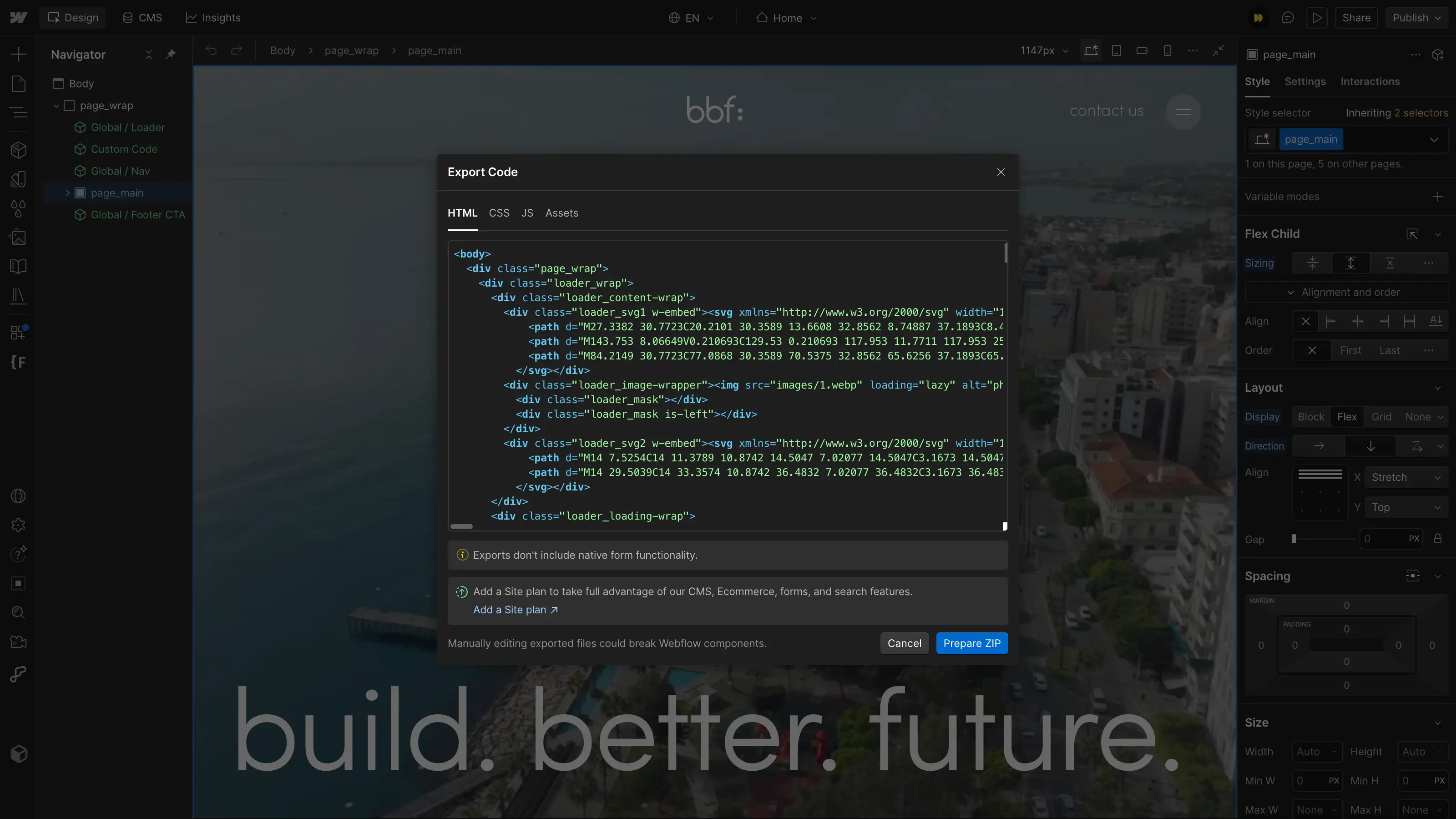
However, dynamic CMS functionality, localized pages, and several Webflow-specific services aren’t included in the code export. Leaving the platform therefore often means rebuilding a significant portion of the website.
With custom development, the company can retain control over its code, provided the contracts include the necessary rights. It can also choose its hosting, particularly in France or Europe when project requirements call for it.
Separating the CMS from the website offers another possibility: changing one without necessarily rebuilding the other.
A website built with Astro, for example, can keep its interface while switching from Prismic to Sanity. The migration requires work, but doesn’t necessarily mean starting from scratch.
So, How Do You Choose?
Ultimately, the question isn’t just about choosing between Webflow and custom development. If you opt for a headless architecture, you also need to select the right framework for your project.
→ Webflow often remains the most pragmatic choice for a traditional marketing website. Teams can create and edit their pages in a visual environment without having to manage the technical infrastructure.
→ Astro is particularly well suited to marketing and editorial websites. It prioritizes lightweight pages and limits the JavaScript sent to the browser. Pages can be generated ahead of time or on demand, depending on the requirements. For a company website, blog, or media site, it’s often an effective solution.
→ Next.js is particularly interesting for projects involving more application logic: customer portals, platforms connected to numerous services, or interfaces with frequently updated data.
Its React ecosystem and different rendering strategies make it possible to build both static pages and dynamic features. This isn’t an absolute rule. Next.js also works very well for marketing websites, and Astro can handle advanced requirements.
Custom development doesn’t eliminate every technical dependency. A CMS, framework, or hosting provider can also be difficult to replace.
And the line between these approaches is evolving. With Source, its new platform still in early access, Webflow has announced a CMS that can be used headlessly and the ability to connect to existing stacks like Next.js or Astro.
There is no single best tool. The right choice depends on the features you need, your budget, your team’s skills, and how the website will need to evolve.
That’s why, at Digidop, we work with both Webflow and custom architectures. Our role is to choose the right solution for your project, rather than forcing every project into the same technology.