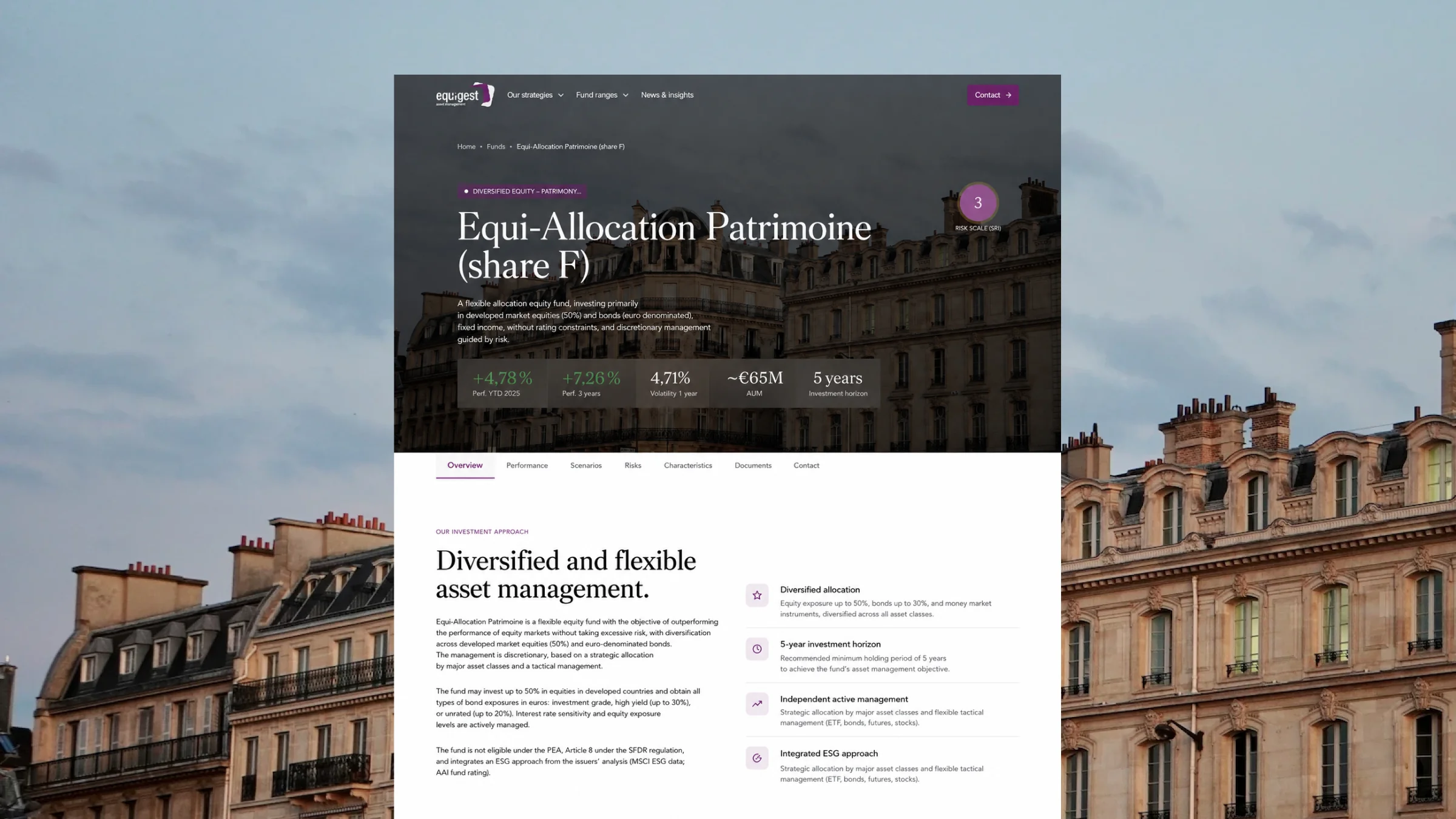
On an asset management company’s website, the fund page is a key page. It is both one of the most visited and one of the most complex to design and maintain.
It combines:
- Static content, such as the investment strategy, fund managers, and investment universe.
- Dynamic financial data, such as Net Asset Value (NAV), assets under management (AUM), and performance.
- Regulatory documents that are regularly updated, such as the Key Information Document (KID), prospectuses, and periodic reports.
The aim of this article is to help you design fund pages that address these requirements in a sustainable, maintainable way.
Why is a fund page different from a standard product page?
Three things set it apart: it serves audiences with different access rights, it depends on three internal teams that each need to validate it, and part of its content needs to be updated daily.
Audiences with different needs and access levels
- The professional investor: typically visits the page to access monthly reports.
- The financial advisor or distributor: looks for the ISIN, ongoing charges, and minimum investment amount to decide whether to add the fund to their offering.
- The retail investor: is more interested in performance, risk level, what the fund invests in, and where it can be purchased (PEA, life insurance, etc.).
In this context, regulations mean that professional and retail investors do not necessarily have access to the same information.
Multiple internal teams involved in managing fund pages
Within an asset management company, you’ll typically find:
- The investment management team, responsible for producing and providing the data.
- The compliance team, responsible for validating the information displayed on the page and the format in which it is presented. The AMF has strict requirements in this area.
- The marketing team, when there is one, focuses on generating traffic and driving conversions.
This page therefore requires:
- Strong governance, so these three teams can coordinate their actions effectively.
- A well-designed website architecture, to streamline and optimize each team’s actions over time.
Financial data that changes every day
The net asset value (NAV) is the price of a share in the fund. It is recalculated every trading day and, in turn, affects assets under management, performance figures, charts, and associated rankings.
This can mean hundreds of data points that need to be updated on the website every day, with the risk of errors that comes with doing this manually.
A fund page is therefore closer to a web app connected to a data source than to a traditional corporate website.
The six constraints that shape a fund page
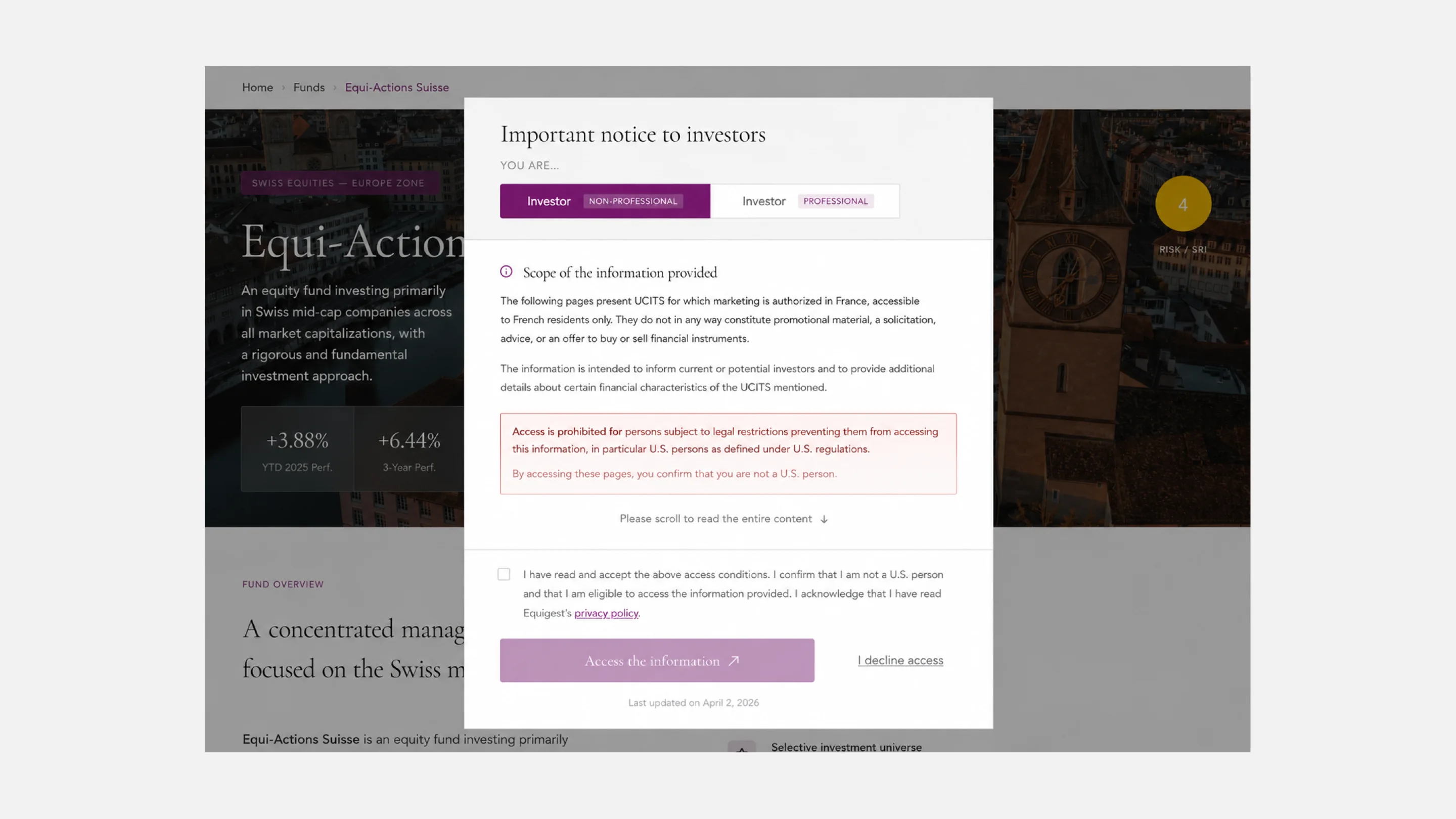
1. The access disclaimer: Professional / Non-professional
Access to fund ranges is often conditional on accepting the terms of use, with a question such as: “Are you a professional investor?”
This practice is based on MiFID II, the European directive on financial markets, and Articles D. 533-11 and D. 533-13 of the French Monetary and Financial Code, which distinguish between professional and non-professional clients.
As mentioned earlier, the same information is not communicated to both audiences.
These pages therefore need to manage consent and display or hide the relevant information accordingly.
2. Net asset value: daily financial data
The NAV must be accurate, dated, and available at all times. This requires a clearly identified data source and a data feed synchronized with the website.
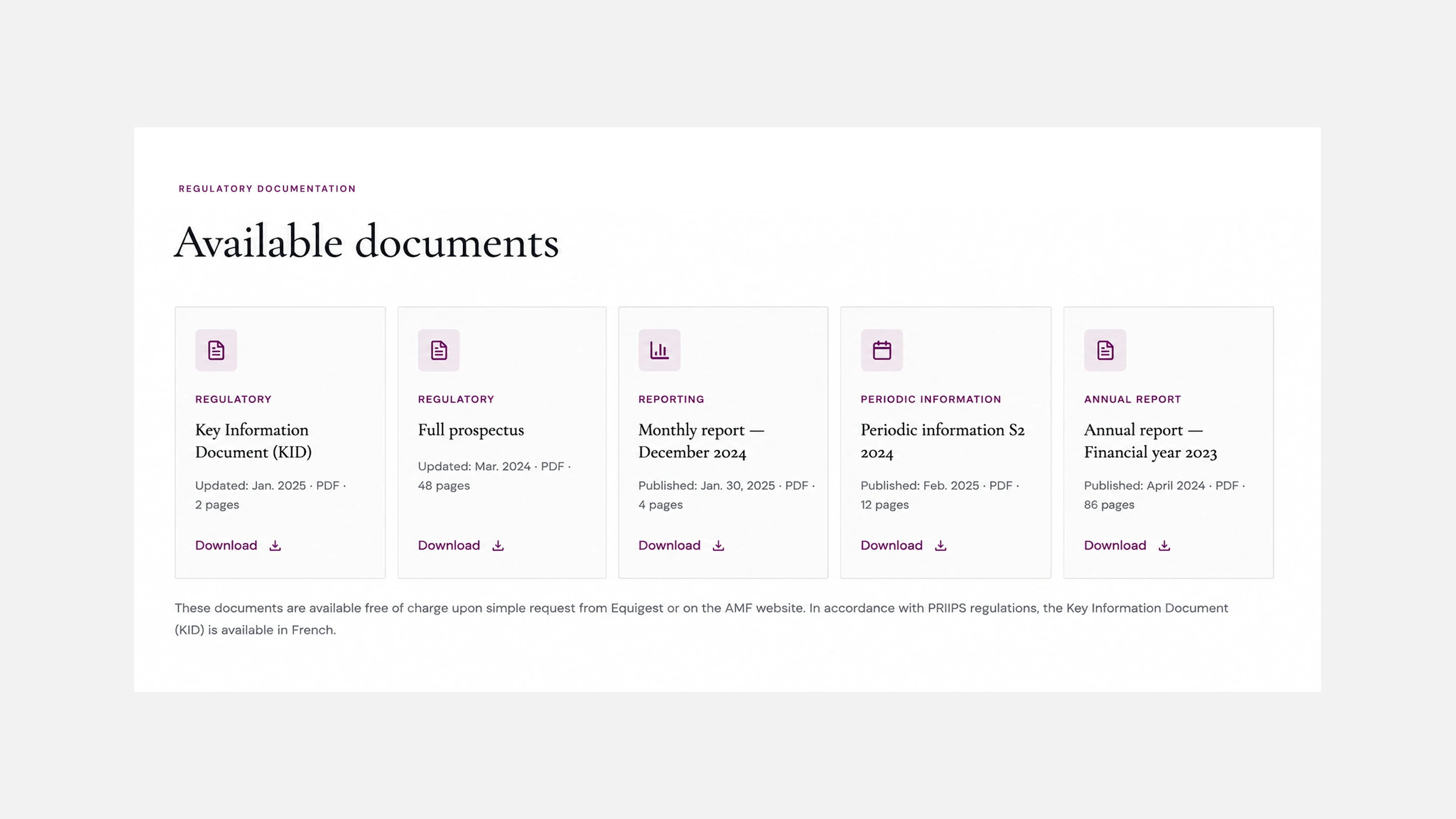
3. Regulatory documents: KID, prospectus, and periodic reports
The KID (Key Information Document) and the prospectus are among the essential regulatory documents that must be made available, alongside annual and semi-annual reports. They are updated periodically, with the KID reviewed at least once a year.
The challenge is to simplify how these documents are updated while keeping each version properly dated and versioned.
4. SFDR classification
The SFDR classification categorizes funds according to three levels of sustainability-related commitments and has become a selection criterion for distributors, who may filter fund ranges before analyzing performance. It is therefore a field to include in the CMS structure and a filter to add to the fund range page.
5. Performance display
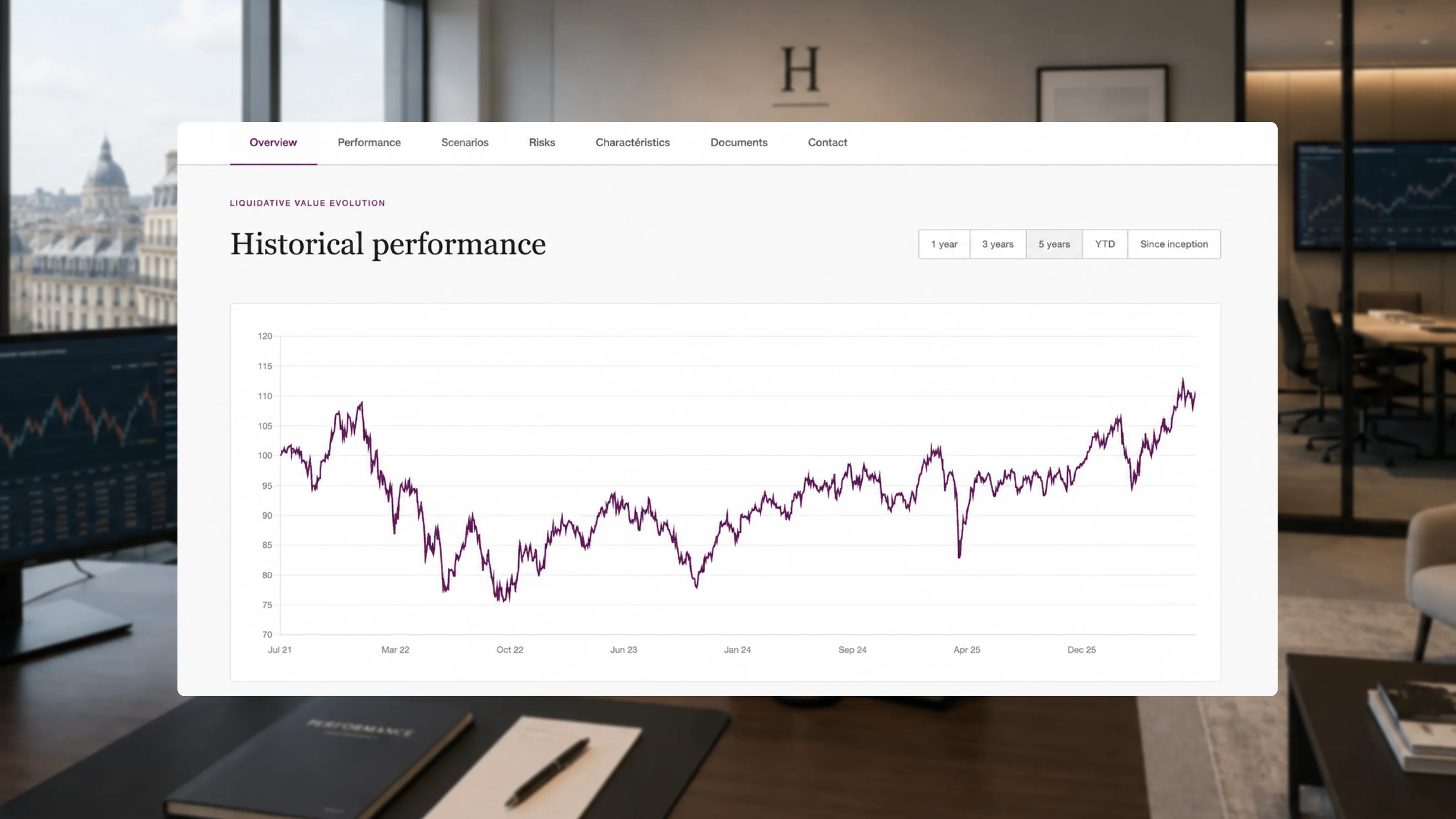
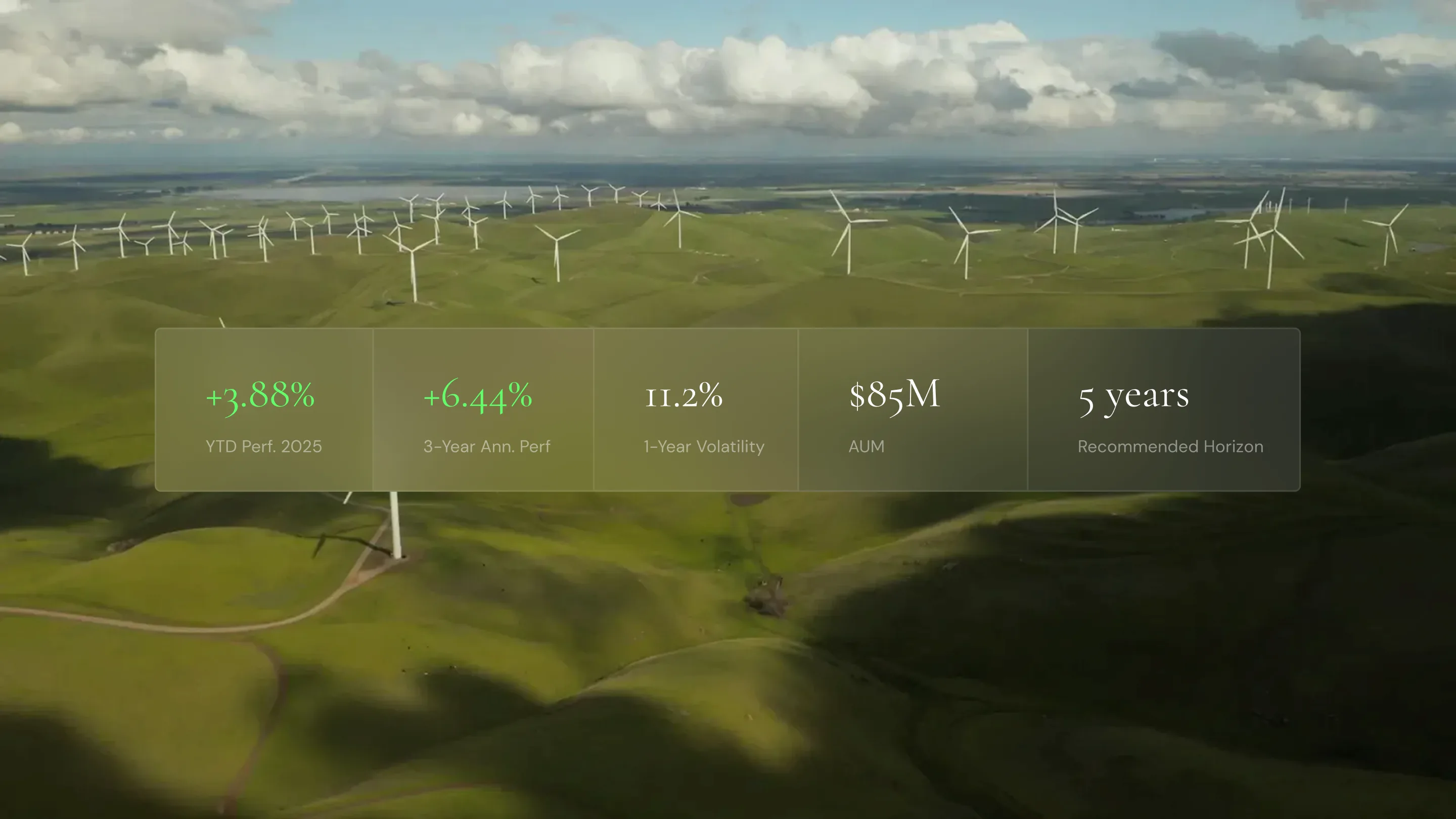
Performance is generally presented over standardized periods: 1 year, 3 years, 5 years, and since the fund’s inception. It is also often compared with the fund’s benchmark, where applicable. In France, the AMF pays close attention to how these results are presented, ensuring that the selected period is not chosen in a way that favors the fund.
Performance figures must also be accompanied by a disclaimer stating that past performance is not indicative of future performance. This applies to performance data, charts, and even fund comparison sections.
6. Multiple share classes and ISINs
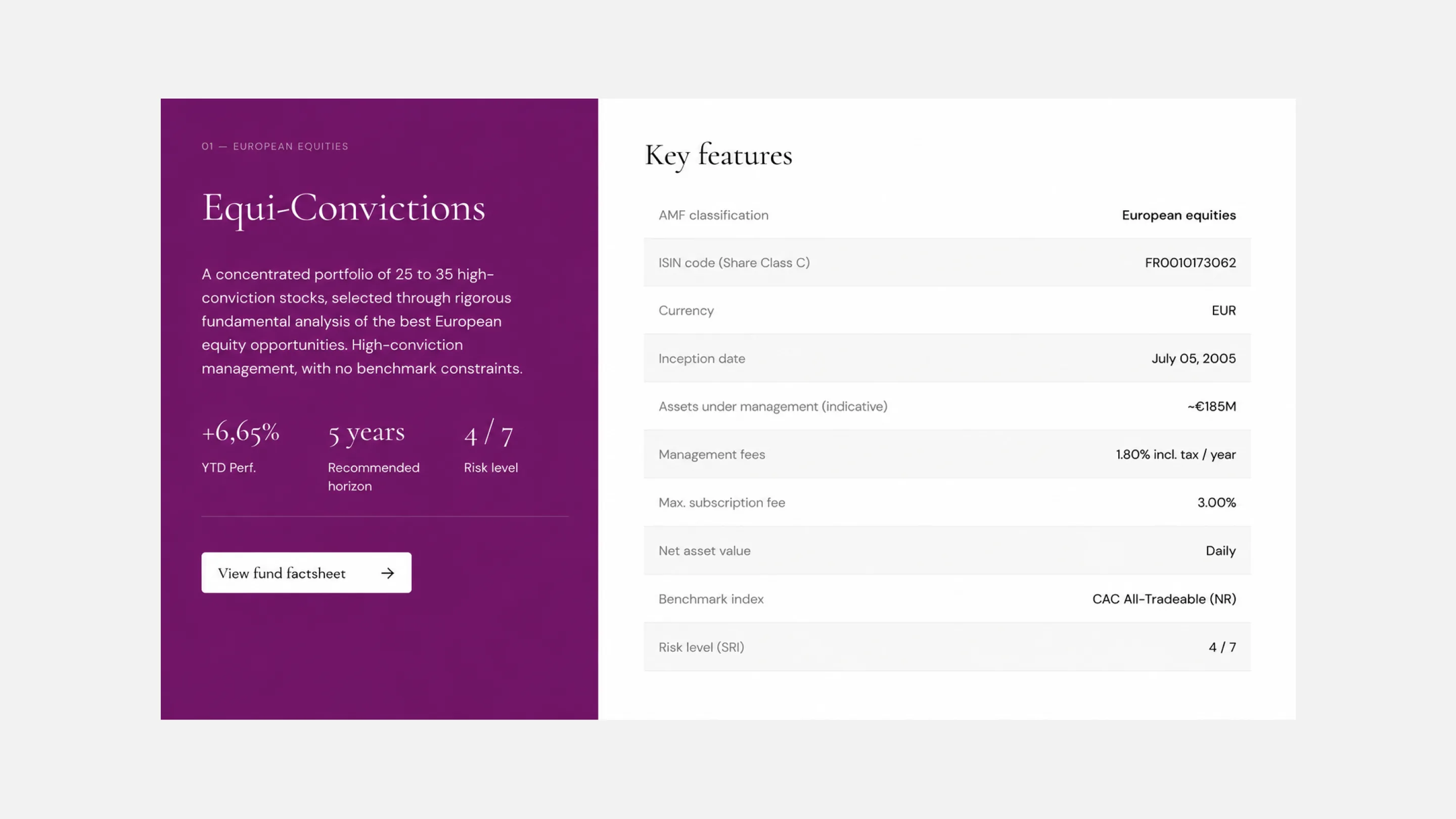
A fund is often available in several share classes:
- Class I: for institutional investors
- Class R: for retail investors
- Accumulation or distribution share classes
- Share classes denominated in different currencies
Each share class has its own ISIN, NAV, ongoing charges, and minimum investment amount. This is where the fund page’s CMS architecture needs to be carefully structured, so that the correct information and related documents are displayed for each share class.
{{custom-blog-cta}}
The CMS architecture we recommend for fund pages
Choosing a CMS is often an important consideration for companies: should you stick with established platforms such as WordPress, Drupal, or Joomla, or move to newer solutions such as Webflow or headless CMSs?
Having worked with dozens of companies in the financial sector, Webflow is often the solution selected, particularly for:
- The flexibility of its CMS and the simplicity of content management
- The ability to integrate dynamic charts
- Its components and dynamic pages, making it easier to evolve the website over time
- Its performance
- Its security and compliance standards, designed to meet demanding requirements
- Its built-in tools for analytics, A/B testing, GEO/AEO, and localization
CMS collection types
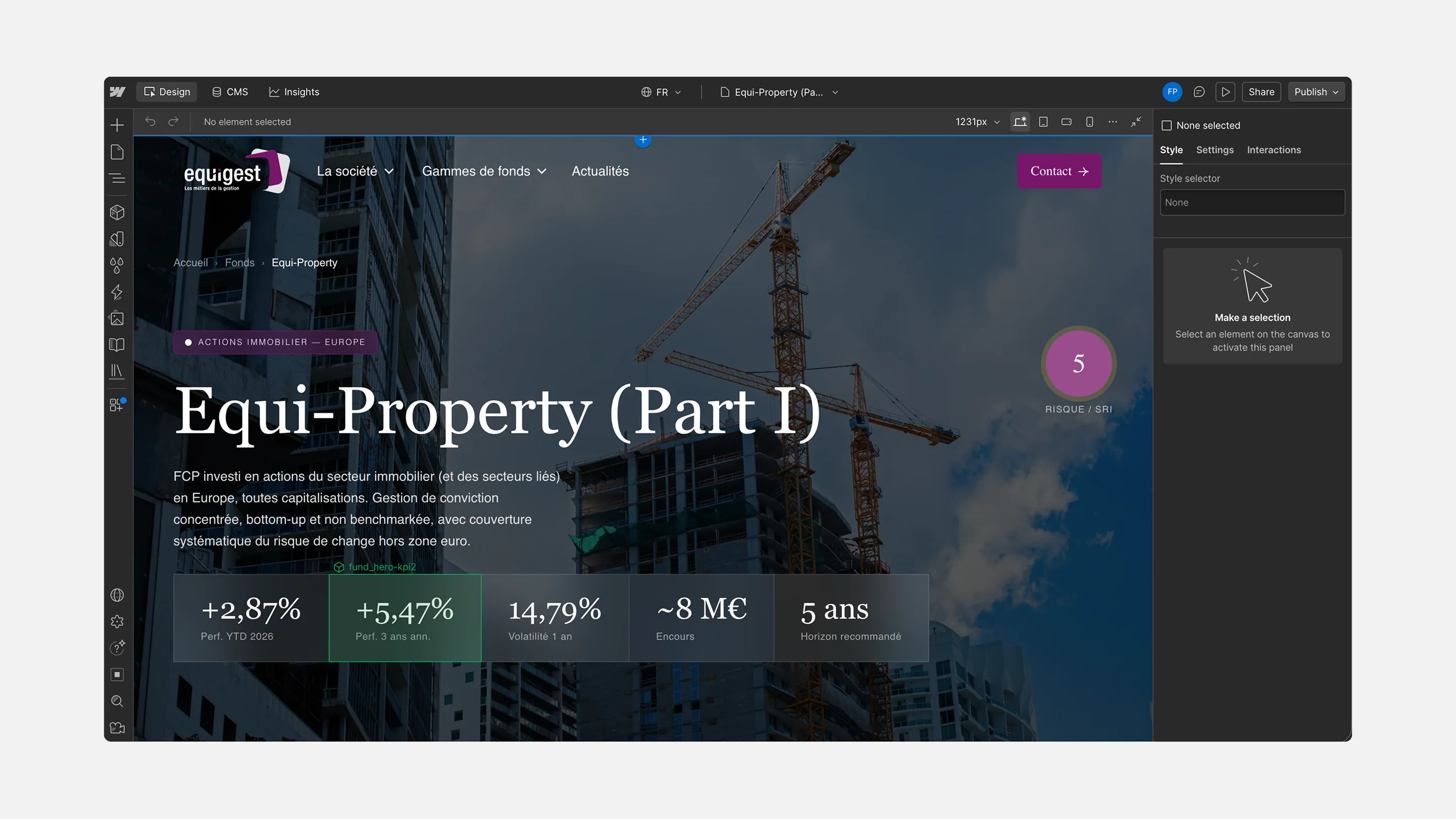
Regardless of the CMS you use, your fund pages should be structured around at least two collections:
- One for funds
- One for share classes
This allows you to create a dedicated page for each fund, with a unique ISIN, NAV, and KID for each share class.
Additional related collections can then be connected to these two core collections, for example:
- A collection for fund managers
- A collection for SFDR classifications
- A collection for fund ranges or categories
- And others, depending on your fund structure.
Essential fields
A collection should be tailored to the specific needs of each company. However, below are the typical fields we most often see across the asset management companies we work with:
Note: We generally do not integrate the full NAV history into the CMS. The performance chart is managed via an embed, with the script pulling the relevant data series based on the ISIN of the share class displayed.
URL structure
Distributors generally search for a fund using its ISIN, whether on Google or through LLMs. A URL structure that works well is therefore:
For fund pages: /funds/[fund-slug]
For share classes: /funds/[fund-slug]/[isin]
Document versioning
In Webflow, you have two options, depending mainly on your preferences and existing workflows.
Store documents in a CMS collection: each item corresponds to a document that can be named and versioned while keeping the same URL. The document can then be linked to its fund through a multi-reference field.
Store documents in the asset library: documents can be organized by fund and manually replaced on each page by uploading a new file. Note that each file keeps a unique URL: the previous version remains accessible online after replacement, and the new URL must be updated everywhere the document was previously shared. This should be discussed with your compliance team (RCCI), depending on the type of document.
How to automate Net Asset Value (NAV) updates
The goal here is to eliminate the need for manual data entry when updating financial data. This helps reduce errors and time-consuming manual work.
To achieve this, your website needs to connect to a data source that is updated automatically.
Where does the data come from?
Different data sources can be used depending on your organization:
- The fund administrator or custodian data feed: this is where the official NAV is calculated and produced.
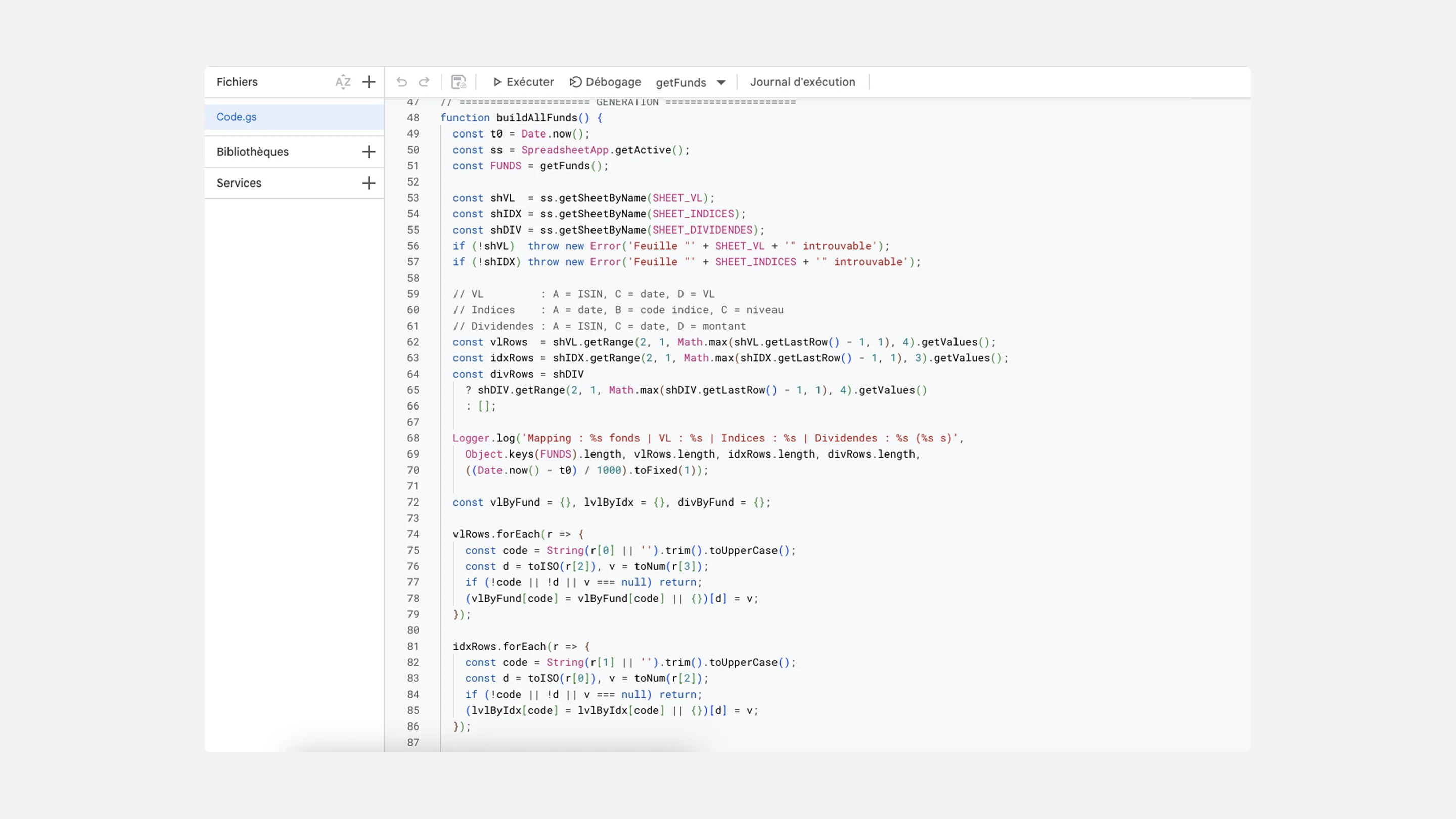
2. A data aggregator such as Quantalys: which standardizes and enriches the data.
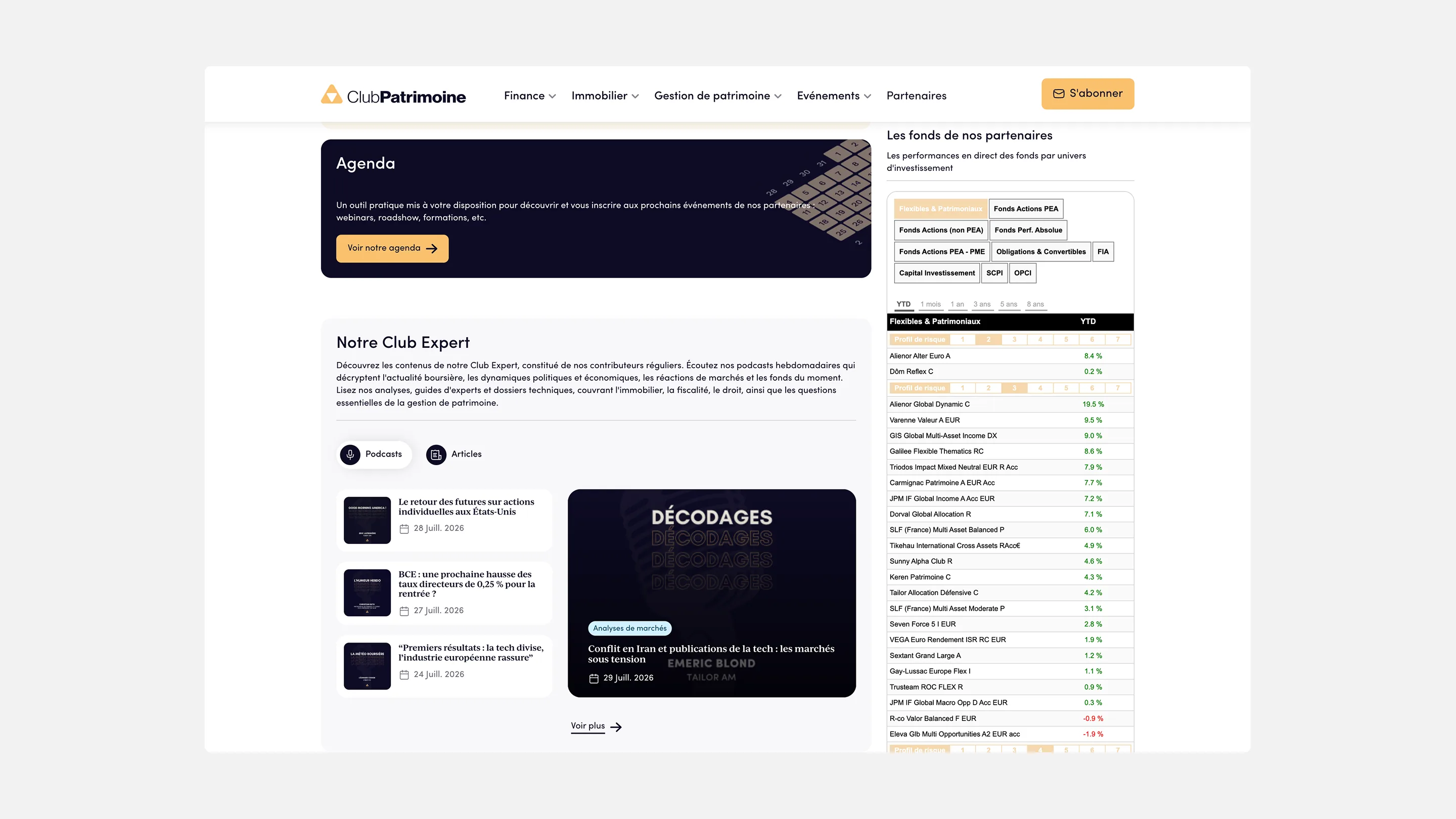
3. A manually uploaded CSV or Excel file: a viable solution when the fund administrator does not provide an API.
In all three cases, the process is the same: a script retrieves the data, matches it to the correct share class using its ISIN, and displays it on the relevant fund pages.
At Equigest, more than 300 data points are updated daily across 17 funds.
Optimizing fund pages for SEO and GEO
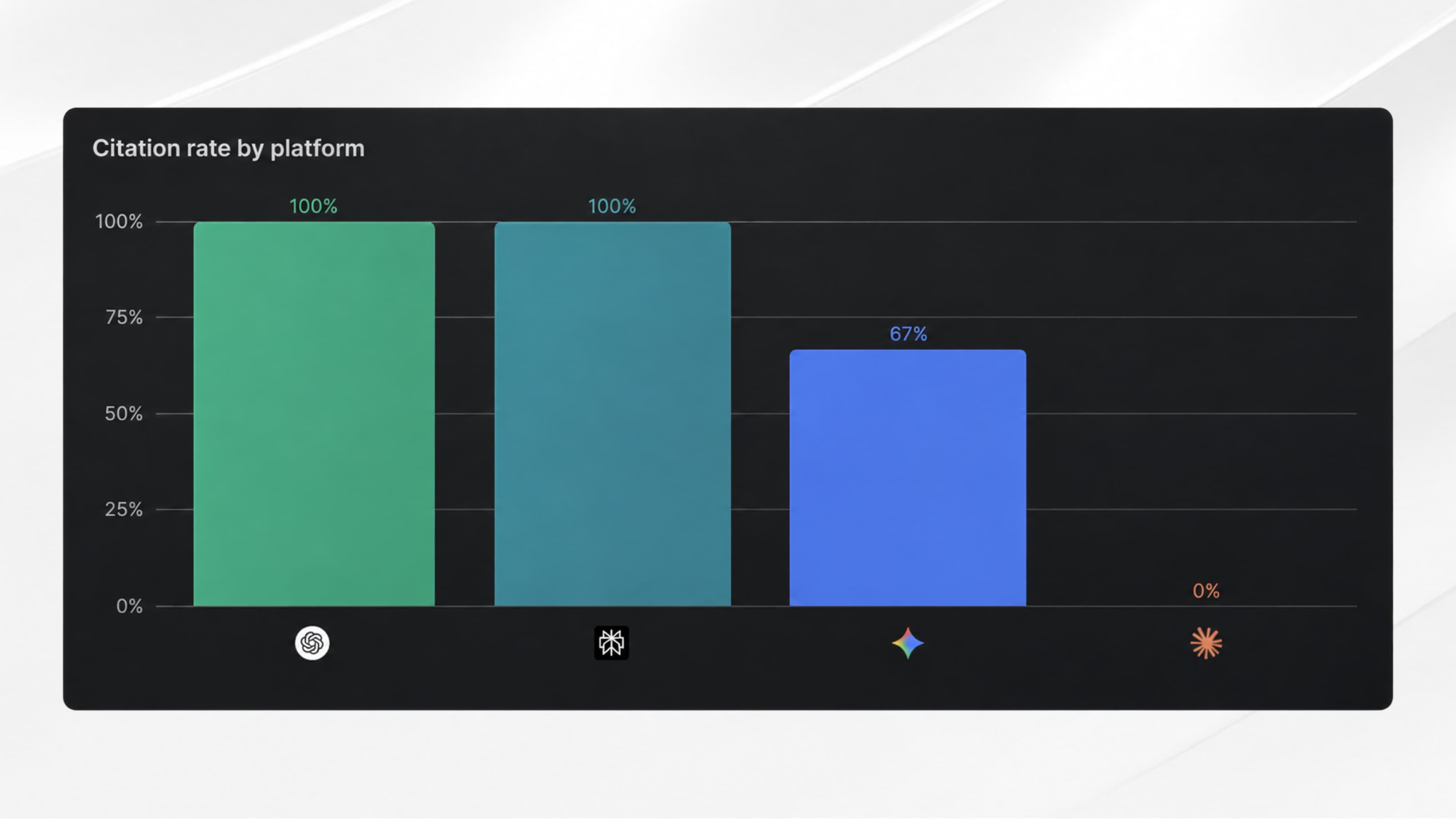
No matter how well structured a fund page is, it will only be useful if it is indexed by Google and visible to AI search engines such as ChatGPT, Perplexity, Claude, and Google AI Overviews.
The objective is simple: for your fund to be cited when, for example, a financial advisor asks ChatGPT to list Article 8 European equity funds offered by French asset management companies. Here are some key points to address.
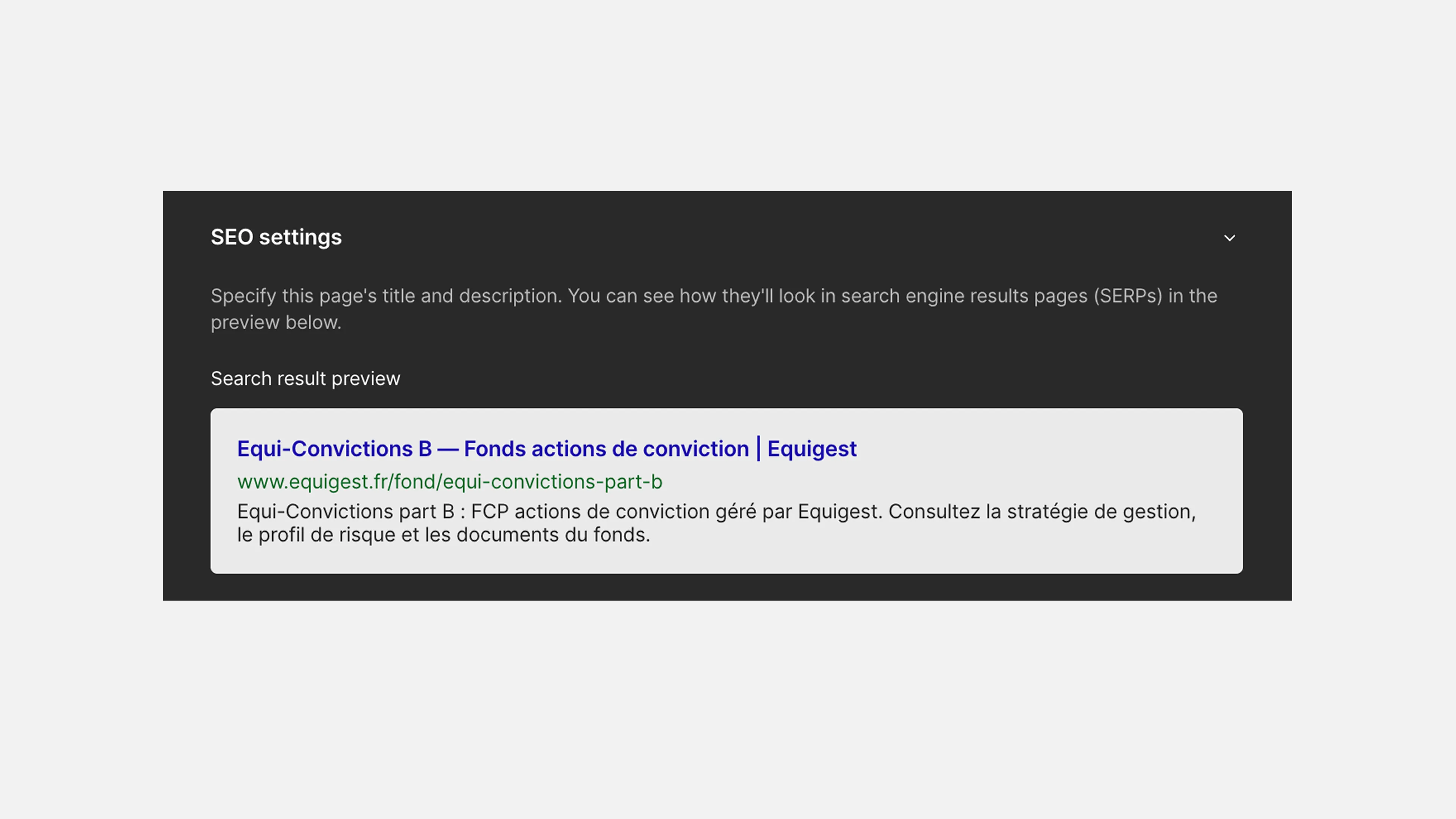
1. SEO fundamentals
Meta tags should include keywords that distributors actually use when searching, such as the fund name, share class name, or ISIN.
For example:
- Fund page: Fund Name – European Equity UCITS – Asset Management Company
- Share class page: Fund Name Class I – FR00111111111 – Asset Management Company
Heading structure should follow the same logic:
- A single H1 including the fund and share class
- H2s that explicitly describe the content of each section, such as Investment Strategy, Performance, Fees and Subscriptions, and Regulatory Documents
Making content accessible in the HTML. This is an important consideration for fund pages that include an investor access disclaimer. If the disclaimer is implemented using blocking JavaScript, the page content only becomes available after the disclaimer has been accepted. Crawlers do not accept disclaimers, so they may receive an empty page instead. It is therefore preferable to serve the content directly in the HTML and manage consent as an overlay.
Read our Complete SEO Guide to learn more.
Structured data
Structured data helps search engines and AI platforms clearly identify the fund, its ISIN, and its issuer. You can copy and paste this JSON block directly into your fund pages:
Managing AI crawlers
AI search crawlers can be managed through your robots.txt file, just like Googlebot. To allow them to access your content, you need to make sure the relevant crawlers are not blocked.
Some crawlers access your content when a user submits a query, while others collect data that may be used to train AI models.
Internal linking across your fund range
Use a well-structured CMS to optimize internal linking across your fund range. Each share class page should link back to its fund page, while each fund page should link to its other share classes and relevant fund range pages.
Checklist for auditing your current fund range
Frequently asked questions from our clients
Do asset management fund pages need restricted access?
This is a fairly common practice, based on MiFID II requirements and the distinction between professional and non-professional investors. Certain content may need to be displayed or hidden depending on the investor profile.
How can you automatically update Net Asset Value (NAV) on a website?
Connecting a data source directly to the website is generally the best option: a fund administrator feed, an aggregator such as Quantalys, or a file uploaded daily. A script retrieves the data, matches it to the correct share class using its ISIN, and then displays it on the front end or updates it in the CMS.
Can you manage a fund range with Webflow?
Yes, and it is the solution chosen by most of the asset management companies we work with. The CMS can be fully customized to manage relationships between funds and share classes, and it can connect via API to your data sources to automatically update information such as performance and NAV.
Why doesn’t my fund range appear on Google or in ChatGPT?
One of the most common causes is the investor access disclaimer on your fund pages being implemented with blocking JavaScript rather than as an overlay on top of the HTML. This can prevent search engines and AI crawlers from accessing the underlying content.
Book a meeting with our team to investigate the issue and conduct an SEO & GEO audit.
How much does it cost to redesign an asset management company website?
On average, the budget for a complete website redesign can range from €15,000 to €30,000, excluding major technical features. The final budget is generally estimated by the agency based on the specific requirements of each project.
.webp)


.webp)